Case and Matter Management Software for Law Firms

Run intake, conflict checks, matters, tasks, deadlines, time capture and billing rates in one system built on Salesforce.

CaseQube My Matters table and billing aging chart alongside a legal professional
Typical Implementation
Under 30 days
Practice Areas Supported
9+
Native Enterprise Cloud
Salesforce
Cloud and Mobile Ready
100%

What CaseQube Does

Turns inquiries into matters

Intake questionnaires collect the right information once, run a conflict check and create the matter from the intake data.

Moves every matter through its stages

Each matter follows defined stages, and tasks, checklists and deadline reminders are created automatically as it moves.

Keeps the whole team on the same matter record

Tasks, documents, time, rates and client updates sit on one record that everyone on the matter works from.

Features

Intake and Questionnaires

Web forms and branching questionnaires adapt to each prospect, so the firm captures the right details the first time. Intake data creates the matter automatically and is stored in a structured way for reporting.

  • Intelligent web intake forms
  • Branching, logic-driven questionnaires
  • AI-assisted case type identification
  • Automatic matter creation from intake data
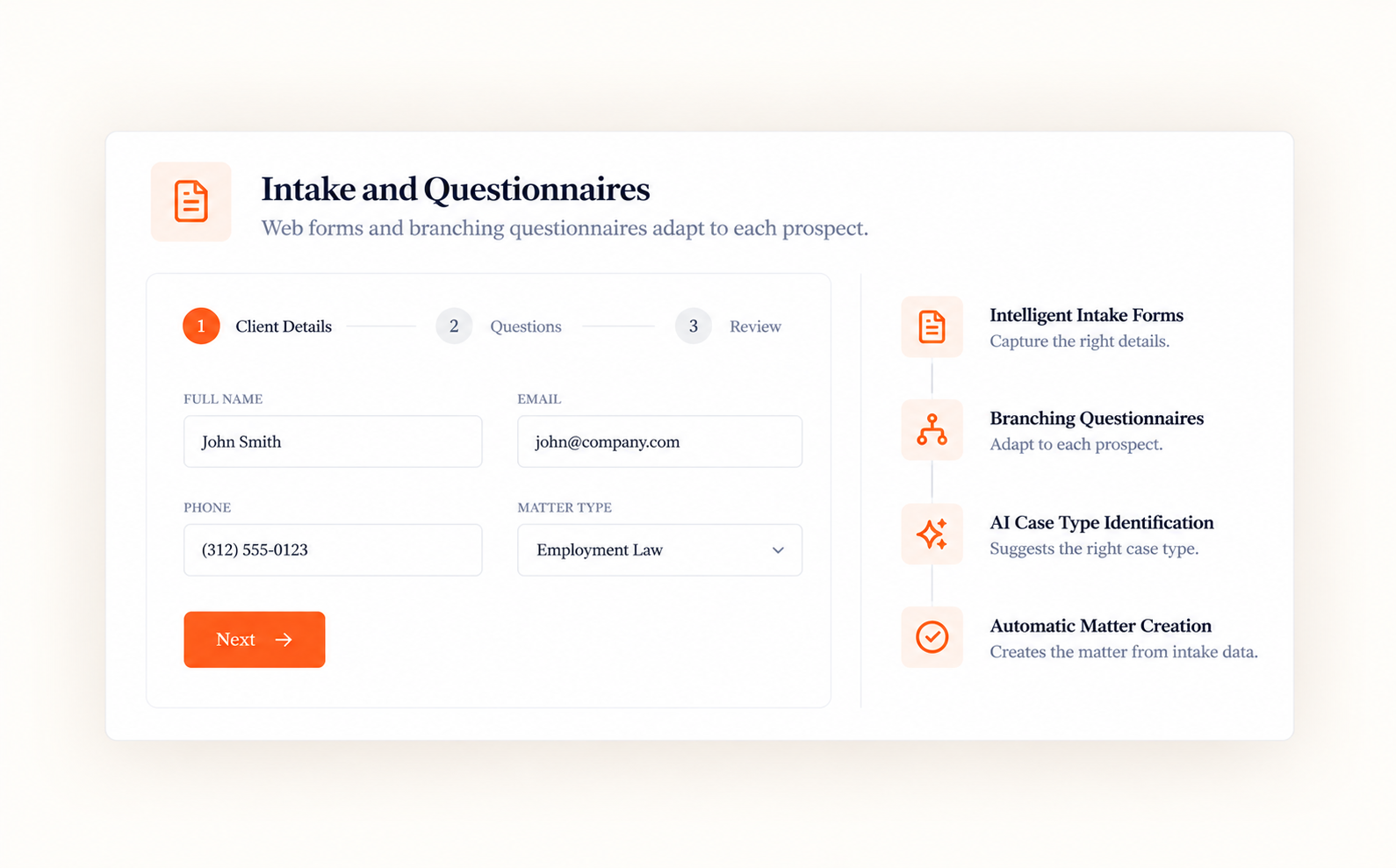
Intake and Questionnaires dashboard

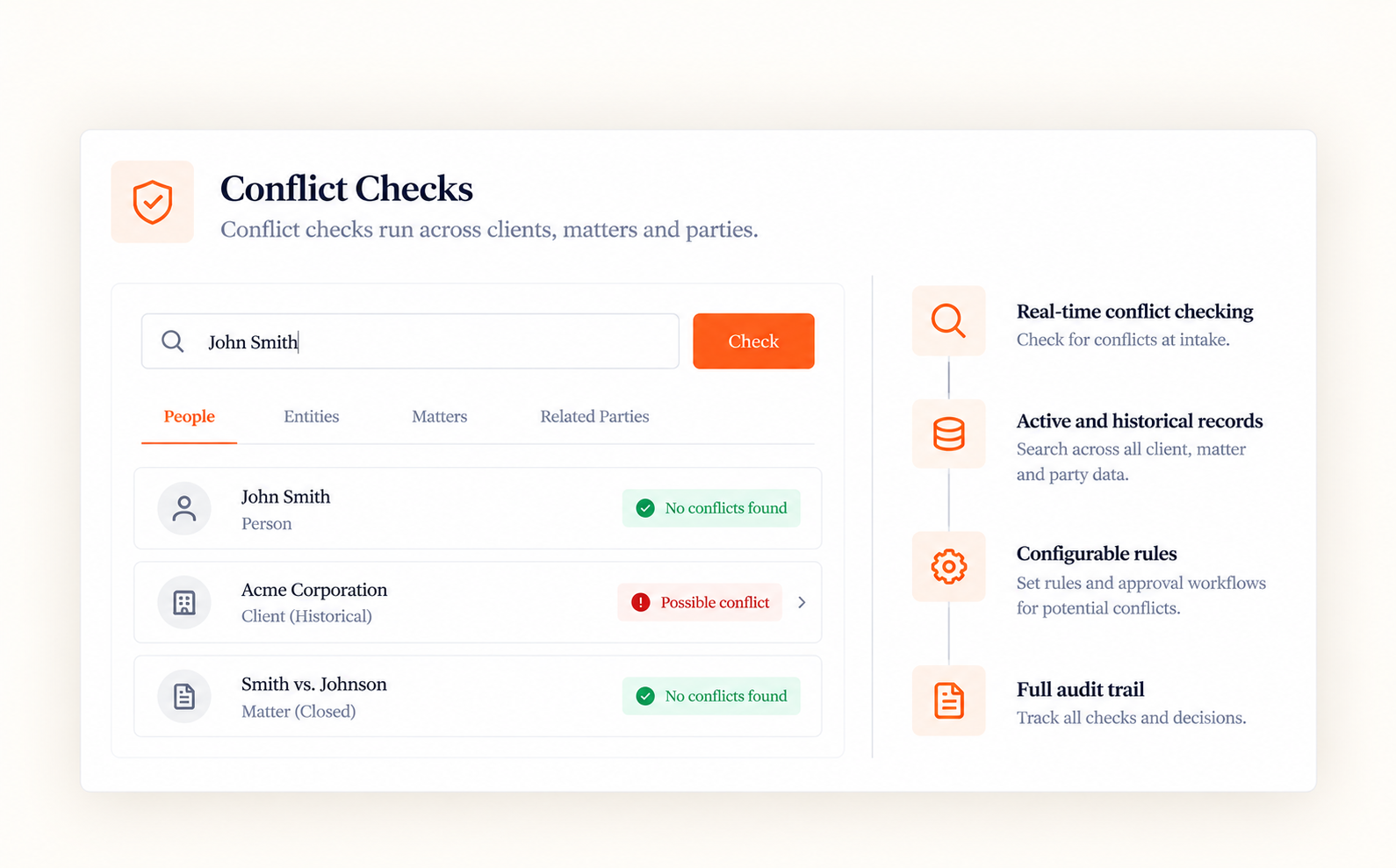
Conflict Checks

Conflict checks run across clients, matters and parties, searching both active and historical records. Configurable rules and approval workflows decide what happens when a possible conflict is found.

  • Real-time conflict checking at intake
  • Search across active and historical records
  • Configurable rules and approval workflows
  • Full audit trail
Conflict Checks dashboard

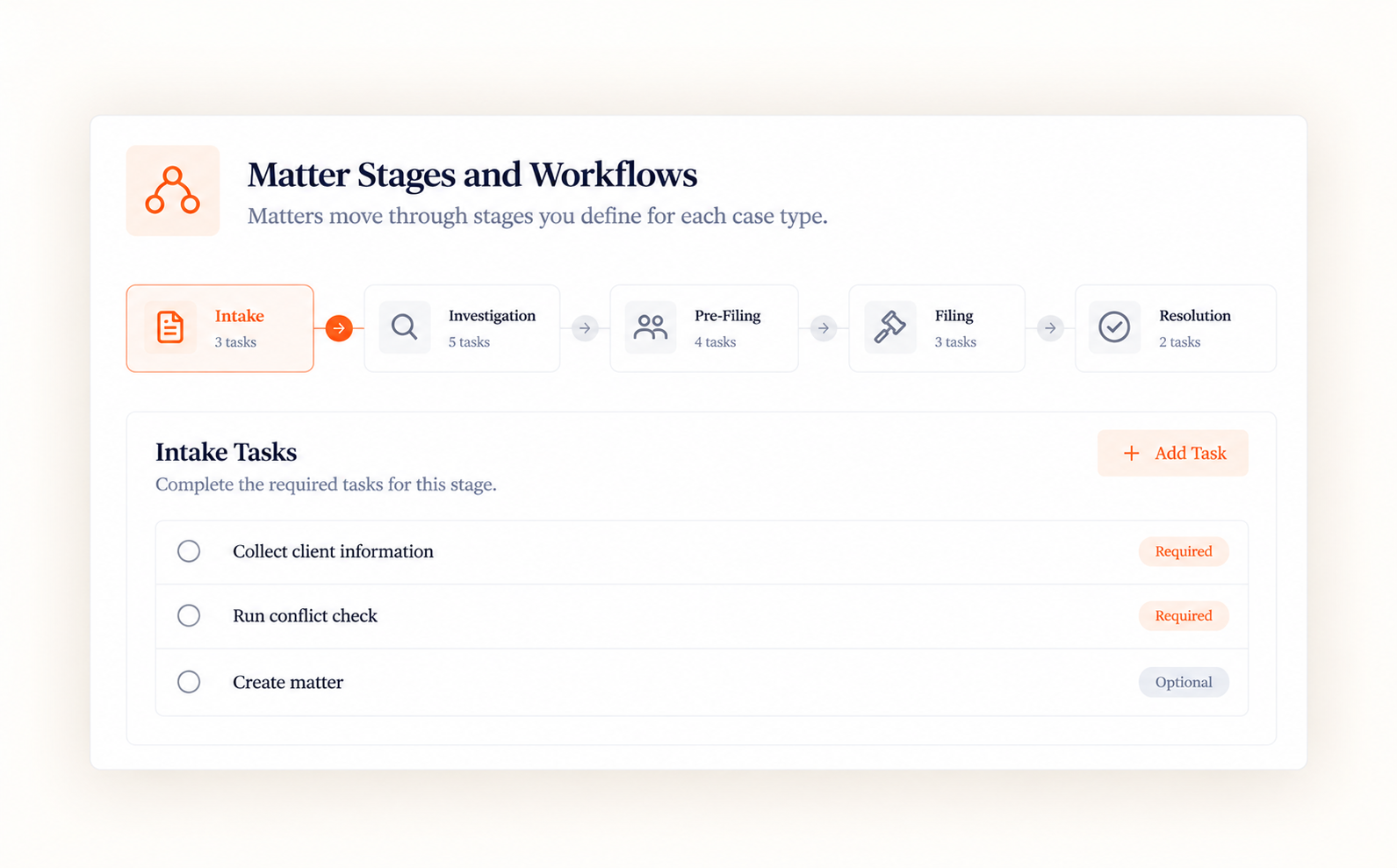
Matter Stages and Workflows

Matters move through stages you define for each case type, with tasks and checklists created at each stage. Workflows are configured without code, so each practice area can follow its own process.

  • Stage-based matter workflows
  • Case-type-specific processes
  • Automated task sets and triggers
  • No-code configuration
Matter Stages and Workflows dashboard

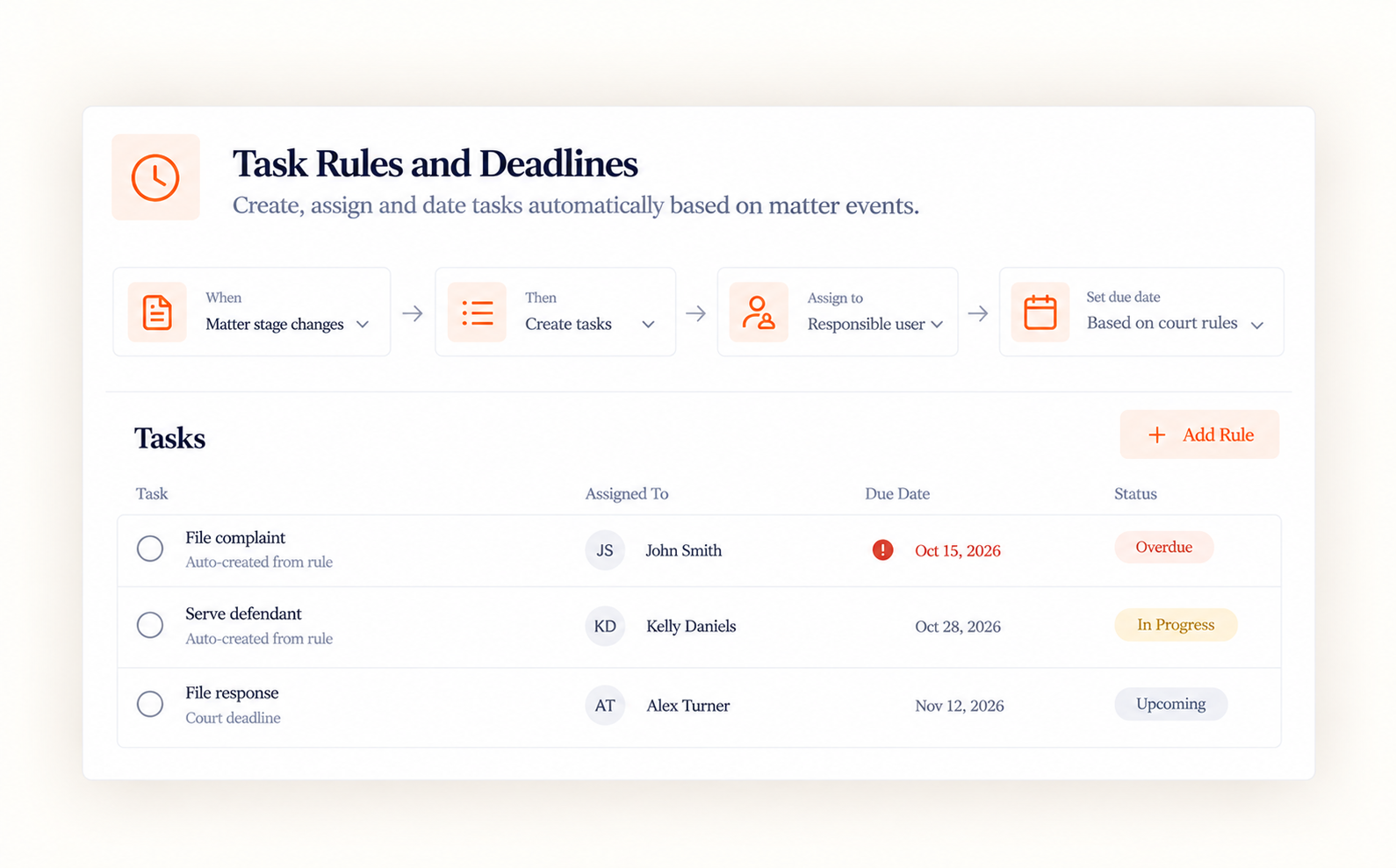
Task Rules and Deadlines

The Rule Manager creates, assigns and dates tasks automatically based on matter stage, type, custom fields or events. Deadlines are tracked against court rules and business calendars, with reminders sent to the person responsible.

  • No-code rule builder for tasks
  • Automatic task creation and assignment
  • Court-deadline reminders
  • Real-time task status
Task Rules and Deadlines dashboard

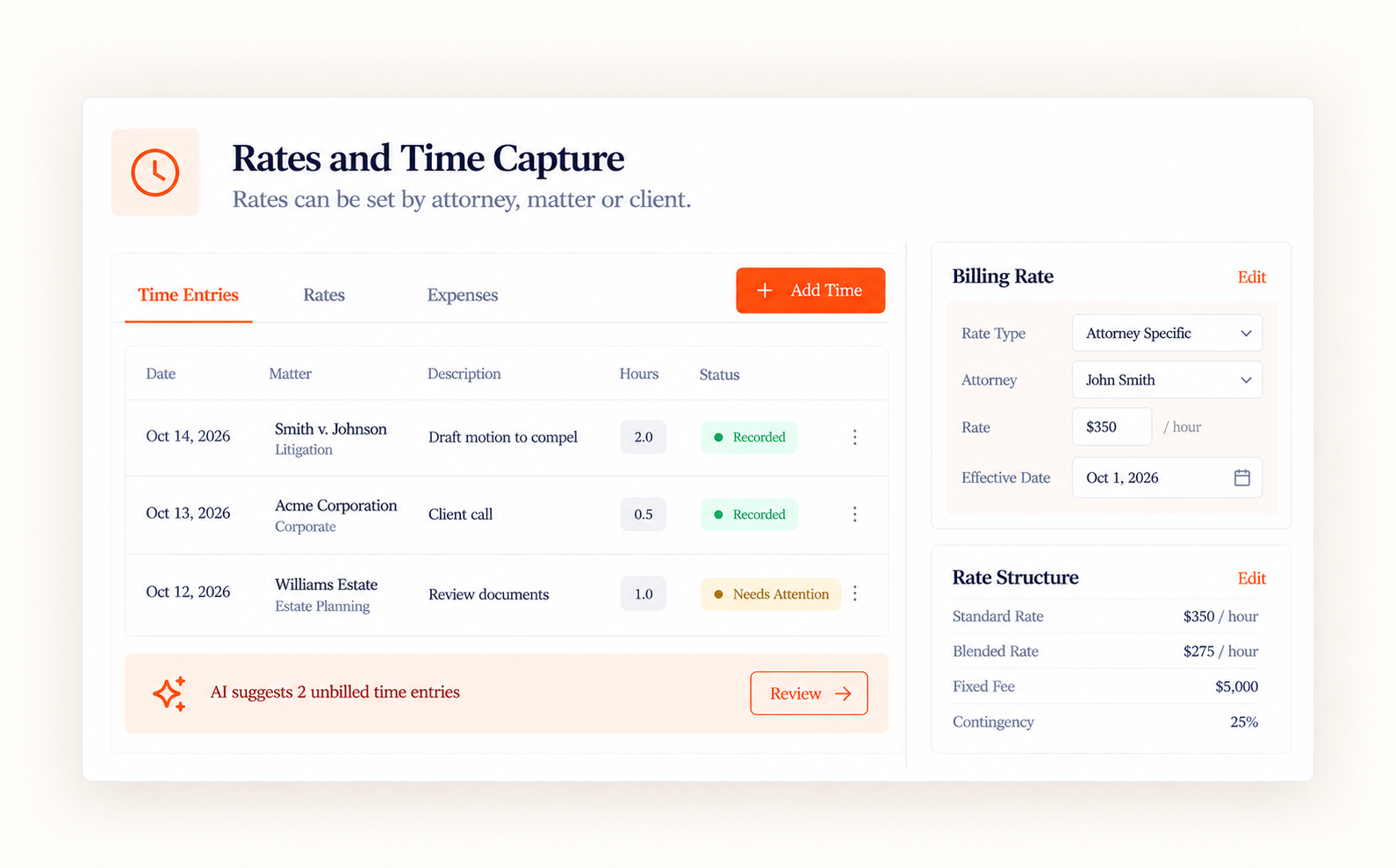
Rates and Time Capture

Rates can be set by attorney, matter or client, with rate groups, tiered pricing and changes tied to effective dates. Time and expenses are captured against the matter, and missed time entries are flagged before invoices go out.

  • Attorney, matter and client-specific rates
  • Blended, fixed and contingency rates
  • Effective-date rate changes and tiered pricing
  • AI-assisted time and expense capture
Rates and Time Capture dashboard

Document Generation

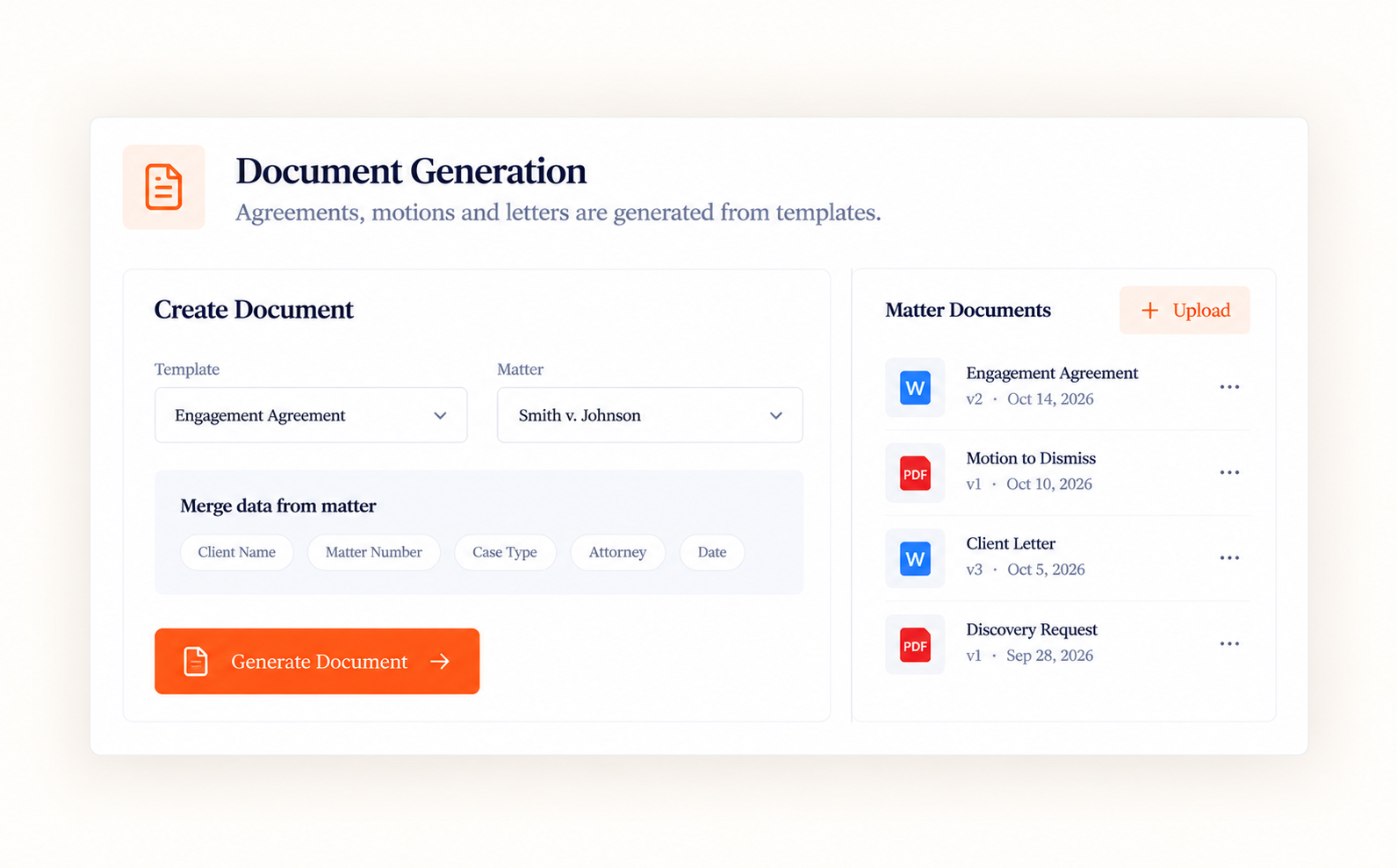
Agreements, motions and letters are generated from templates filled with live matter data. Documents are organized by matter, with folder-level permissions and version control.

  • Template-based document generation
  • Data merged from the matter record
  • Matter-based folders with permissions
  • Version control
Document Generation dashboard

Dashboards and Reporting

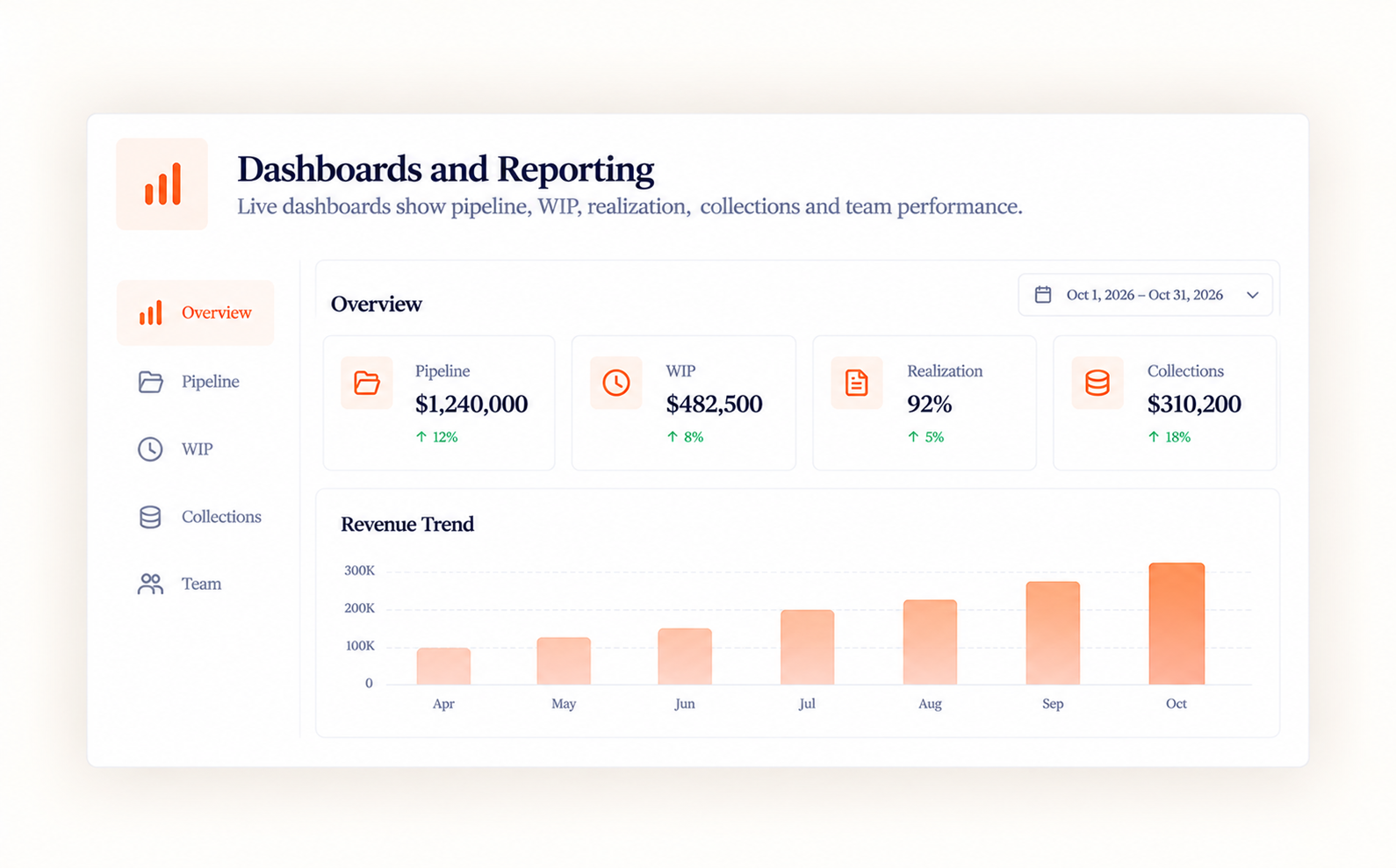
Live dashboards show pipeline, WIP, realization, collections and team performance in one view. Structured intake and matter data feed reporting across the firm.

  • Pipeline dashboards
  • WIP and realization views
  • Collections tracking
  • Team performance
Dashboards and Reporting dashboard

Collaboration and Client Portals

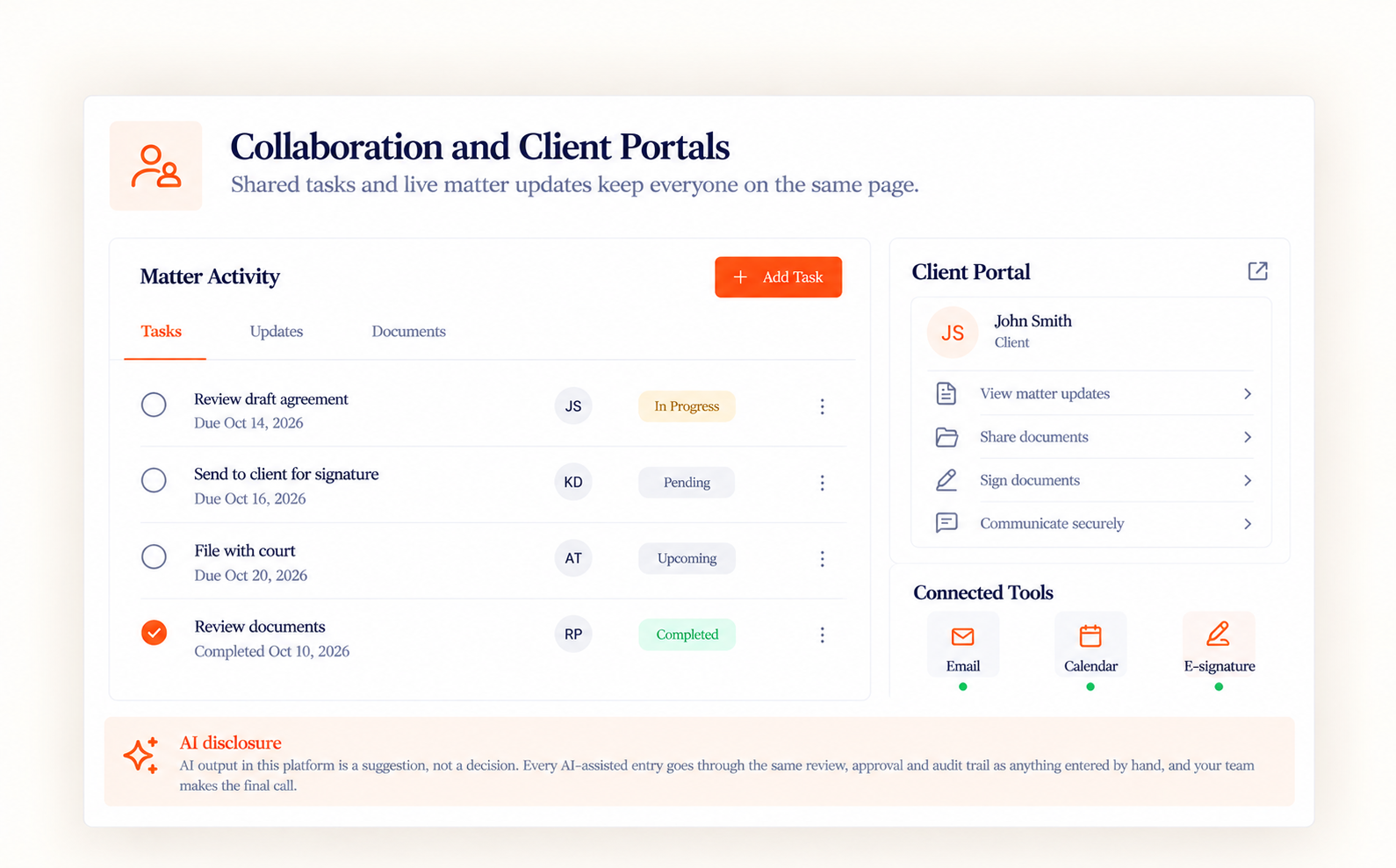
Shared tasks and live matter updates keep everyone on a matter working from the same information. Clients use a secure portal, and email, calendar and e-signature connect to the matter.

  • Shared tasks and live matter updates
  • Secure client portals
  • Email and calendar connections
  • E-signature
Collaboration and Client Portals dashboard

AI disclosure: AI output in this platform is a suggestion, not a decision. Every AI-assisted entry goes through the same review, approval and audit trail as anything entered by hand, and your team makes the final call.

Real-World Ready

Built for Real Legal Workflows

  • Personal injury, including settlement payouts, liens and attorney splits
  • Insurance defense and workers’ compensation
  • Family law, immigration and bankruptcy
  • Mass tort and criminal defense
  • Configurations for bar associations and Attorney General offices

Why CaseQube

Built for Legal Work, Not Adapted From Project Management Tools

  • Intake, conflicts, matters and tasks in one system
  • Workflows configured without code
  • Built on Salesforce
  • Connects to LawAccounting for billing and trust accounting
  • Adopt it on its own or with the rest of the suite

How a Matter Moves Through CaseQube

  1. 01

    Intake

    A prospect completes a web form or questionnaire, and a conflict check runs.

  2. 02

    Matter created

    The matter is created from the intake data and routed to the right team.

  3. 03

    Stages and tasks

    As the matter moves through its stages, tasks, checklists and deadline reminders are created and assigned.

  4. 04

    Documents

    Agreements, motions and letters are generated from templates using matter data.

  5. 05

    Time and billing

    Time and expenses are captured against the matter, and the rates set for that attorney, client or matter are applied.

  6. 06

    Payment and accounting

    Clients pay invoices online by card or ACH, and payments post to the correct trust or operating account in LawAccounting.

CaseQube Compared to Spreadsheets and General Project Management Tools

Comparison of CaseQube with spreadsheets and general project management tools across seven capabilities.
CapabilityCaseQubeSpreadsheets and general project management tools
Records organized by client and matterBuilt inManual setup
Conflict checks across clients, matters and partiesBuilt inNot built in
Intake questionnaires that create mattersBuilt inNot built in
Court-deadline remindersBuilt inNot built in
Tasks created by matter stage and typeBuilt inManual setup
Attorney, client and matter billing ratesBuilt inNot built in
Connection to legal trust accountingBuilt in with LawAccountingNot built in

Who Uses CaseQube

  • Attorneys

    Lawyers who need every task, deadline and document for a matter in one place.

  • Paralegals and case managers

    Staff who keep matters moving through each stage and track what’s due.

  • Intake teams

    Staff who qualify prospects, run conflict checks and open new matters.

  • Firm administrators and managing partners

    People who set up workflows and rates and watch pipeline, WIP and team performance.

How CaseQube supports attorneys, paralegals and case managers, intake teams and firm administrators

Getting Started With CaseQube

Plan

We review your practice areas, matter types and current tools.

Configure

Intake questionnaires, matter stages, task rules and rates are set up for your firm.

Train

Your team learns the workflows they’ll use every day.

Go live

Typical implementation takes under 30 days.

CaseQube runs on Salesforce. You can adopt it on its own or with LawAccounting, CloudDoc and Maahi.

Explore Other Products

Each product runs on its own. Firms usually start with one and add the rest as they need them.

LawAccounting

Legal and trust accounting

General ledger, trust accounting, billing, reconciliation and financial reporting.

Explore LawAccounting
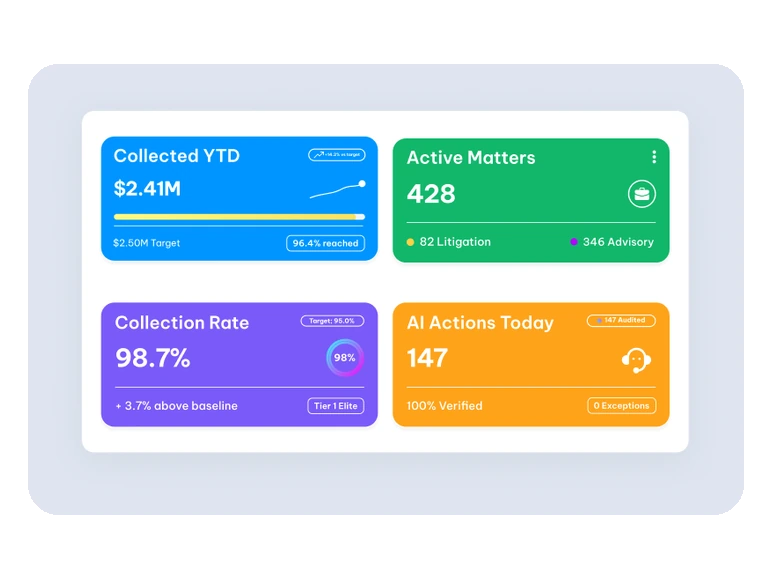
LawAccounting dashboard cards showing fees collected year to date, active matters, collection rate and AI actions

CloudDoc

Document management

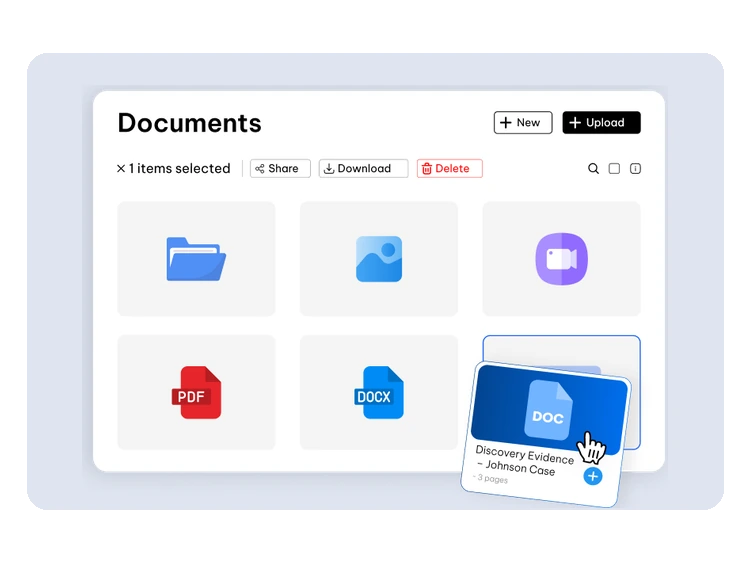
Matter-based document storage, OCR, classification and full-text search.

CloudDoc Documents panel with folders, PDF and Word files, and a case document being dragged inExplore CloudDoc

Maahi

Payments

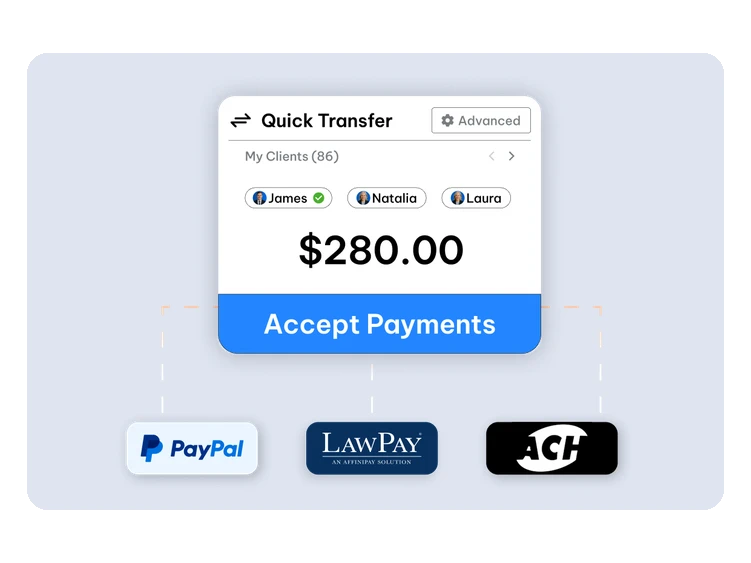
Card and ACH payments, routed to trust or operating and posted to the client ledger.

Maahi Quick Transfer panel accepting a client payment by PayPal, LawPay or ACHExplore Maahi

Frequently Asked Questions

Legal case management software helps law firms organize matters, tasks, deadlines, documents and client information in one place.

CaseQube covers intake, conflict checks, matter workflows, task rules, deadlines, time capture and billing rates, built on Salesforce.

Case management focuses on running individual matters. Practice management covers the wider firm, including intake, billing and reporting.

CaseQube covers both, and it connects to LawAccounting for accounting and trust.

Matter management software tracks each legal matter from opening to close, including its parties, tasks, deadlines, documents and time.

In CaseQube, each matter moves through defined stages, with tasks and reminders created at each one.

Web forms and branching questionnaires collect prospect information, a conflict check runs, and the matter is created automatically from the intake data.

Conflict checks search clients, matters and parties across active and historical records. Configurable rules and approval workflows handle possible conflicts, and every check is recorded in an audit trail.

Yes. The Rule Manager is a no-code rule builder that creates, assigns and dates tasks based on matter stage, type, custom fields or events.

Deadlines are tracked against court rules and business calendars, with reminders sent to the person responsible for each task.

Yes. Time and expenses are captured against the matter, and missed time entries are flagged before invoices go out.

Attorney, matter and client-specific rates, rate groups, tiered pricing and effective-date changes, along with blended, fixed and contingency rates.

Yes. Agreements, motions and letters are generated from templates filled with live matter data.

Yes. Clients get a secure portal, and the team shares tasks and live matter updates internally.

CaseQube supports personal injury, insurance defense, workers’ compensation, family law, mass tort, immigration, bankruptcy and criminal defense. It also has configurations for bar associations and Attorney General offices.

Yes. CaseQube connects to LawAccounting, so billing, trust accounting and financial reporting stay tied to the same matters.

Yes. Invoices can be paid online by card or ACH, and payments post to the correct trust or operating account.

Live dashboards cover pipeline, WIP, realization, collections and team performance.

Yes. CaseQube is built natively on Salesforce.

Yes. You can adopt CaseQube on its own, or together with LawAccounting, CloudDoc and Maahi.

Typical implementation takes under 30 days.

Run Your Firm’s Matters in One System

Manage intake, conflict checks, matters, tasks, deadlines and time in case management software built for law firms.