Legal and Trust Accounting Software for Law Firms

LawAccounting is legal accounting software for law firms and attorneys. It keeps your general ledger, IOLTA trust accounts, legal billing, bank reconciliation and financial reports in one system built on Salesforce, so every transaction is tied to a client and matter. Plans start at $100 per user per month.

Run your general ledger, client trust accounts, billing, bank reconciliation, expenses and financial reporting in one system, with every transaction tied to a client and matter.

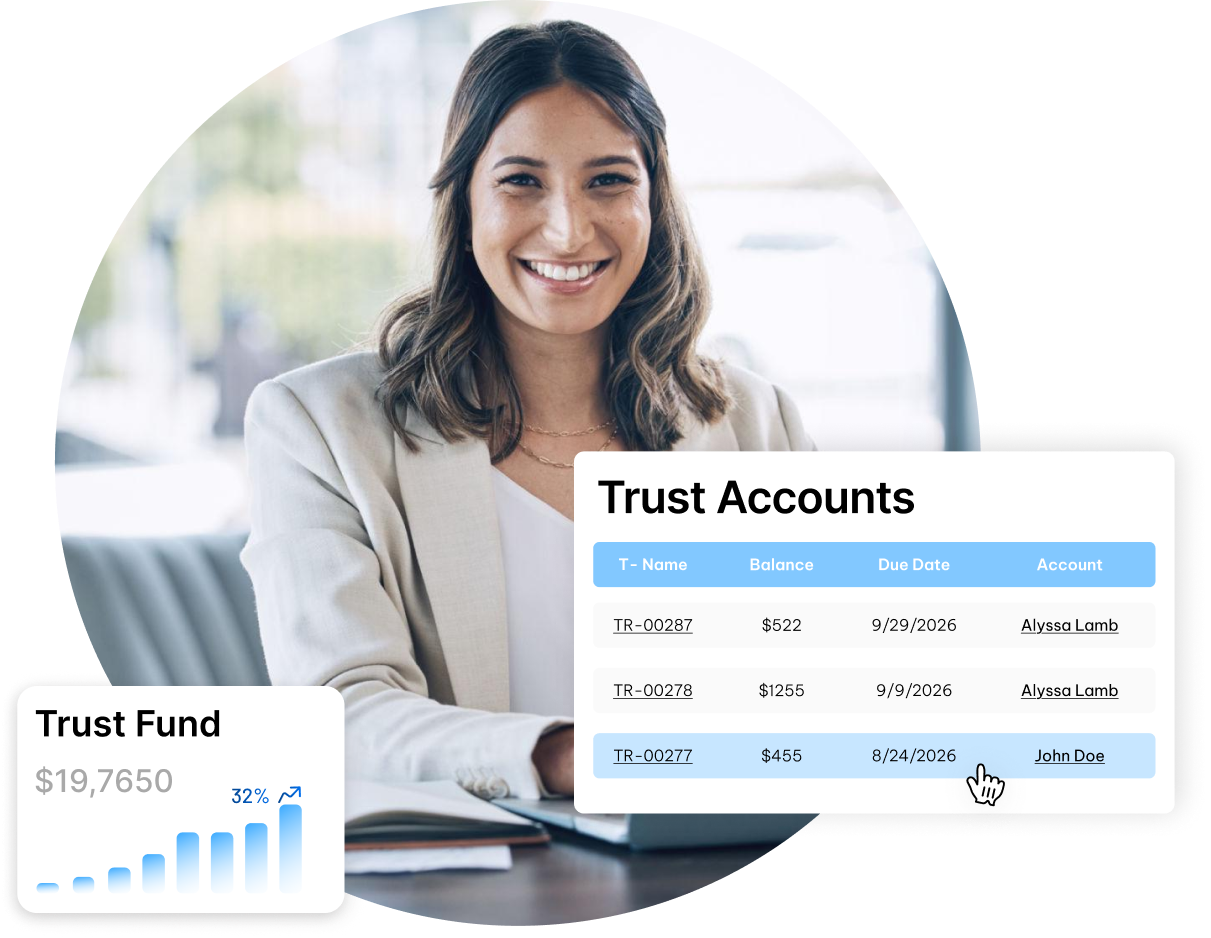
LawAccounting trust accounts table and trust fund chart alongside a smiling legal professional
Independently Audited Security
SOC 2
Trust Reconciliation Built In
3-Way
1998B & XML 2.0 E-Billing
LEDES
8 AM–5 PM EST Support
Mon–Fri

What LawAccounting Does

Keeps all your books in one ledger

Operating accounts, trust accounts, billing and expenses post to the same double-entry general ledger. Any number on a report drills down to the transaction behind it.

Keeps client trust money separate and reconciled

Every client and matter has its own trust ledger. Bank balance, trust ledger and client ledger totals are matched in one view.

Shows your numbers by matter

Revenue, costs and profitability are reported by matter, attorney and practice group, as well as for the whole firm.

Features

Revenue and Billing

Bill hourly, flat fee, contingency, retainer and hybrid matters from one system, with split, blended and tiered billing when a matter needs it. Billing is set per client and per matter, and invoices go out in batches using your firm’s branded templates.

  • Hourly, flat fee, contingency, retainer and hybrid billing
  • Split, blended and tiered billing structures
  • Batch invoicing and branded invoice templates
  • Pre-bill generation, review and approval
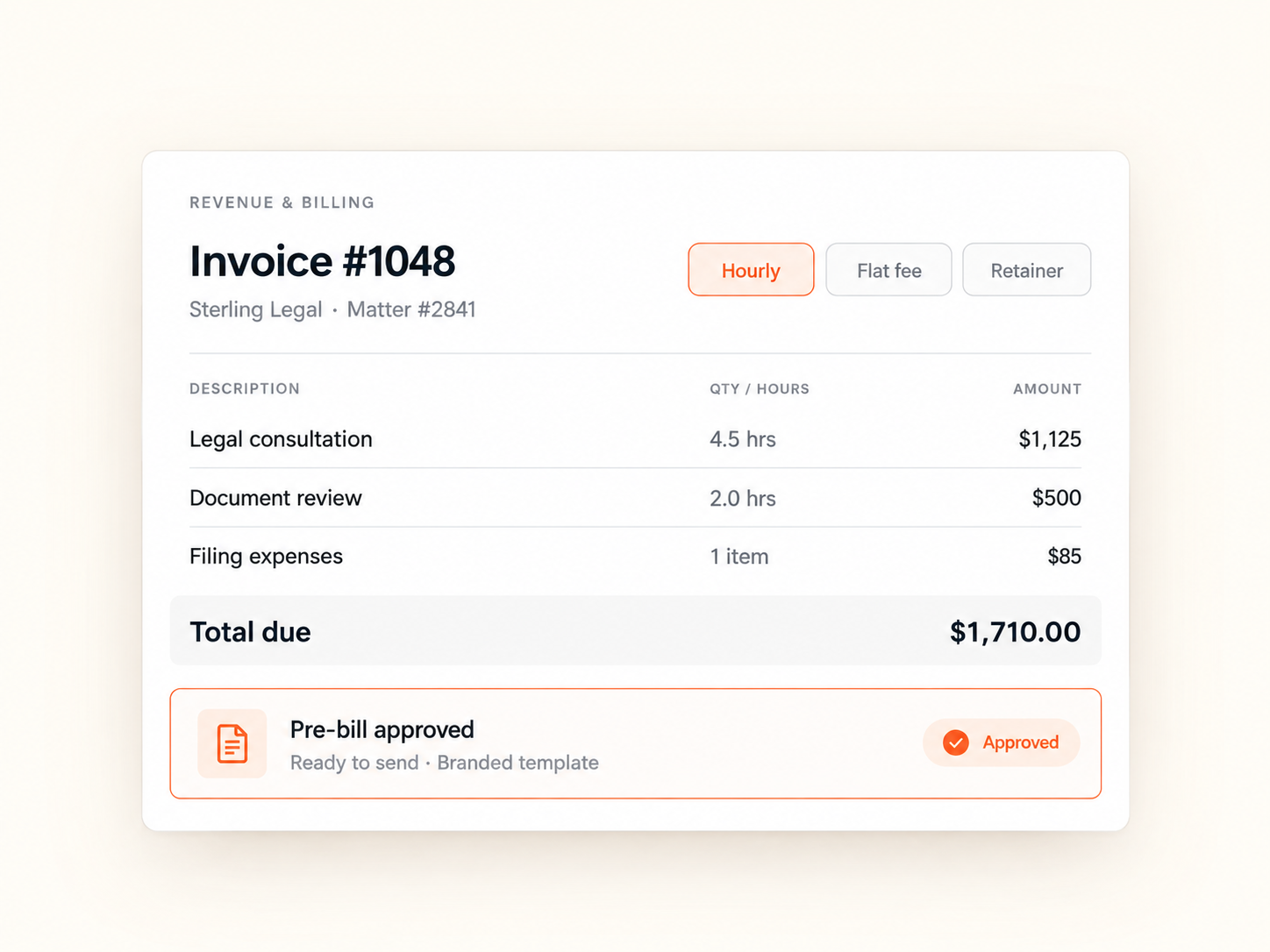
Revenue and Billing dashboard

Accounts Receivable and Collections

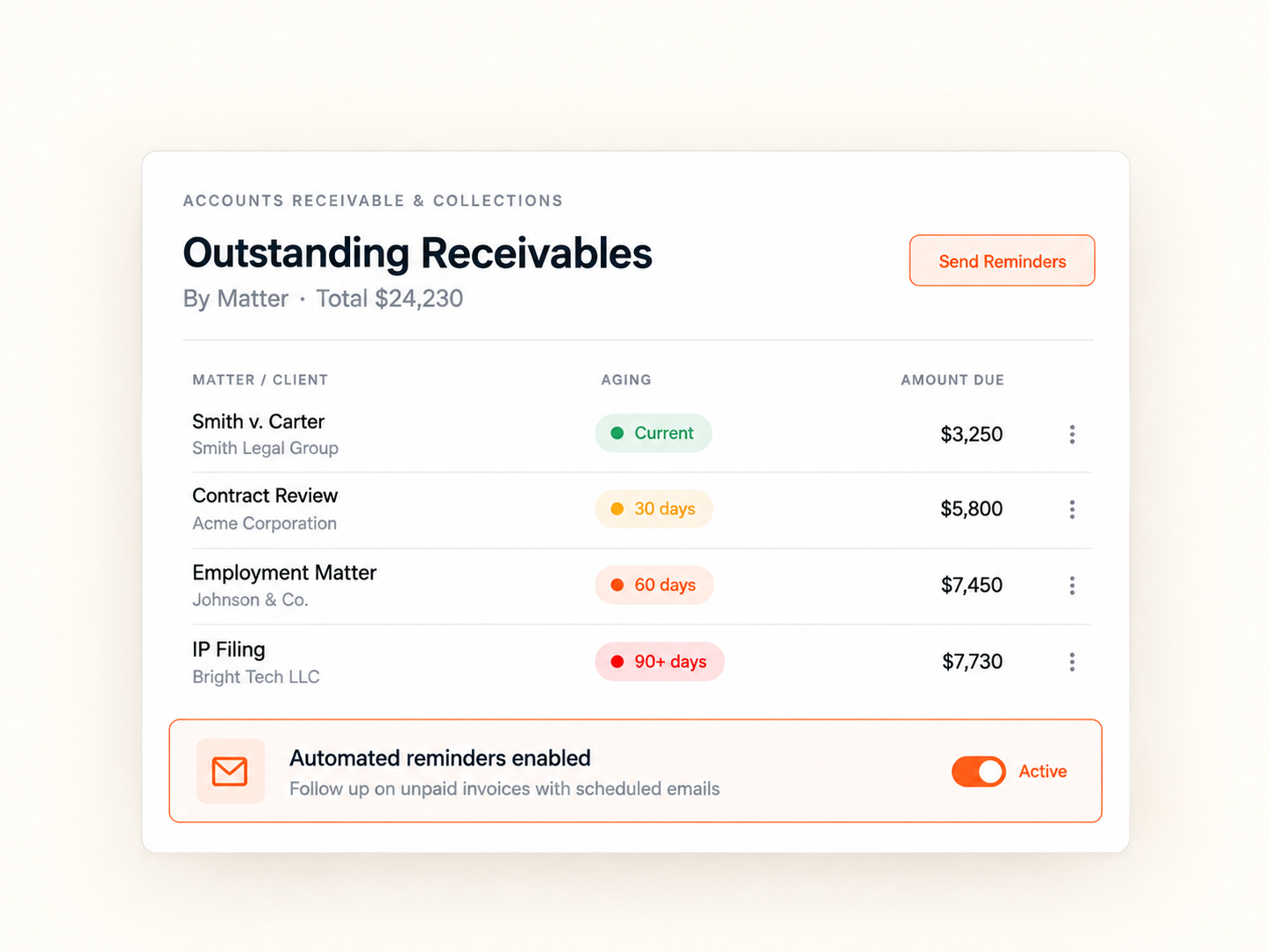
Receivables are aged by matter, so you can see exactly which client and which matter owes what. Automated reminders and collections workflows follow up on unpaid invoices, and clients can pay online.

  • Matter-level AR aging
  • Automated payment reminders
  • Collections workflows
  • Online payment portal
Accounts Receivable and Collections dashboard

WIP, Realization and Write-Offs

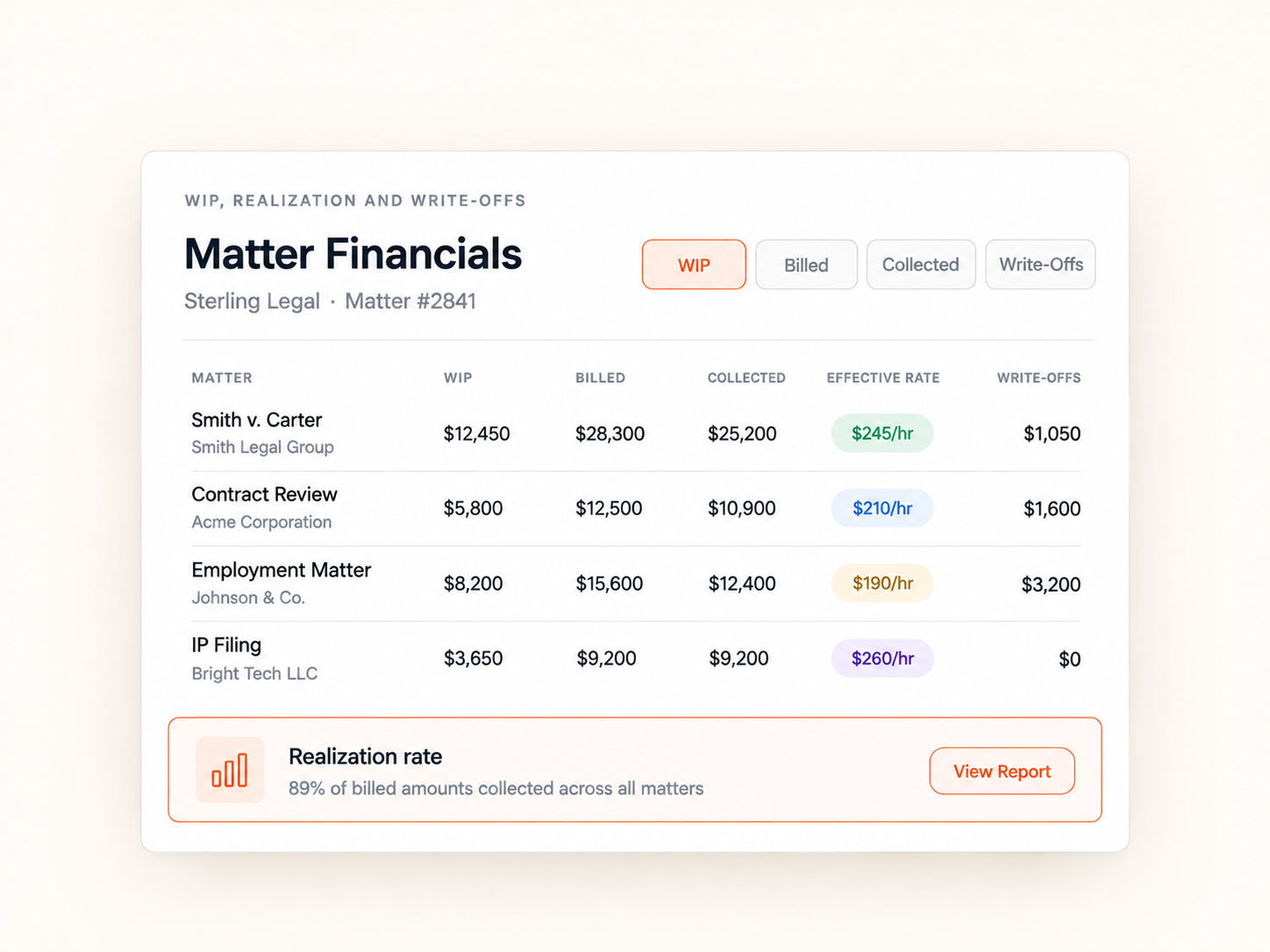
See the value of work in progress, what was billed and what was actually collected on every matter. Effective rates and write-offs are tracked, so you know where revenue is being lost.

  • WIP tracking
  • Billing realization
  • Effective-rate analysis
  • Write-off tracking
WIP, Realization and Write-Offs dashboard

Trust Accounting (IOLTA)

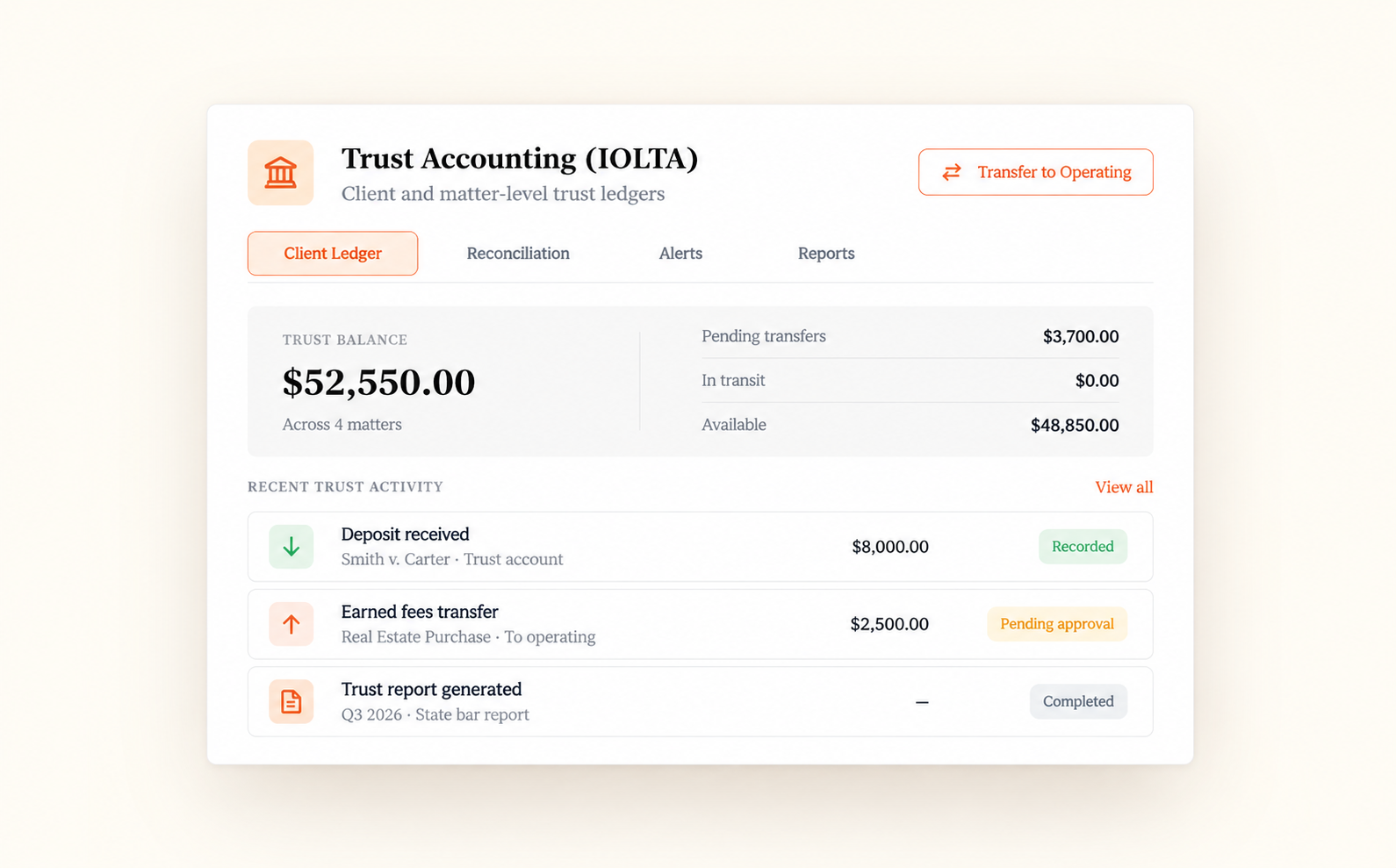
Client funds sit in segregated client and matter-level trust ledgers, separate from operating funds. Earned fees move from trust to operating with an approval trail, and trust reports come straight from your live data.

  • Client and matter-level trust ledgers
  • Three-way reconciliation
  • Overdraft and commingling alerts
  • State bar trust reports and audit-ready activity logs
Trust Accounting (IOLTA) dashboard

Banking and Reconciliation

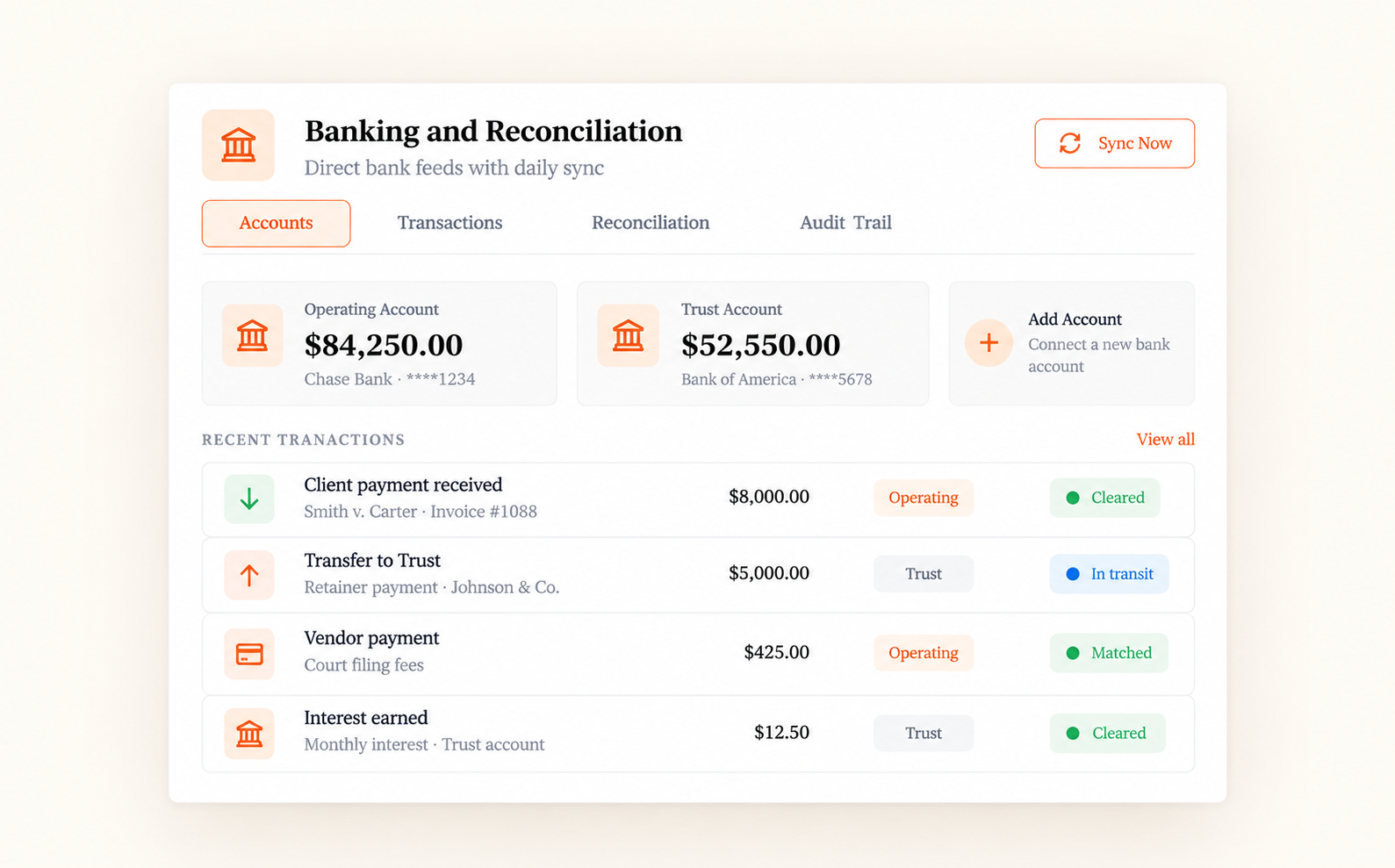
Direct bank feeds sync transactions daily from US and Canadian banks, across multiple operating and trust accounts. Transactions are matched to ledger entries, and operating and trust accounts are reconciled separately.

  • Direct bank feeds with daily sync
  • Multiple operating and trust accounts
  • Deposit tracking and clearing
  • Full audit trail on every transaction
Banking and Reconciliation dashboard

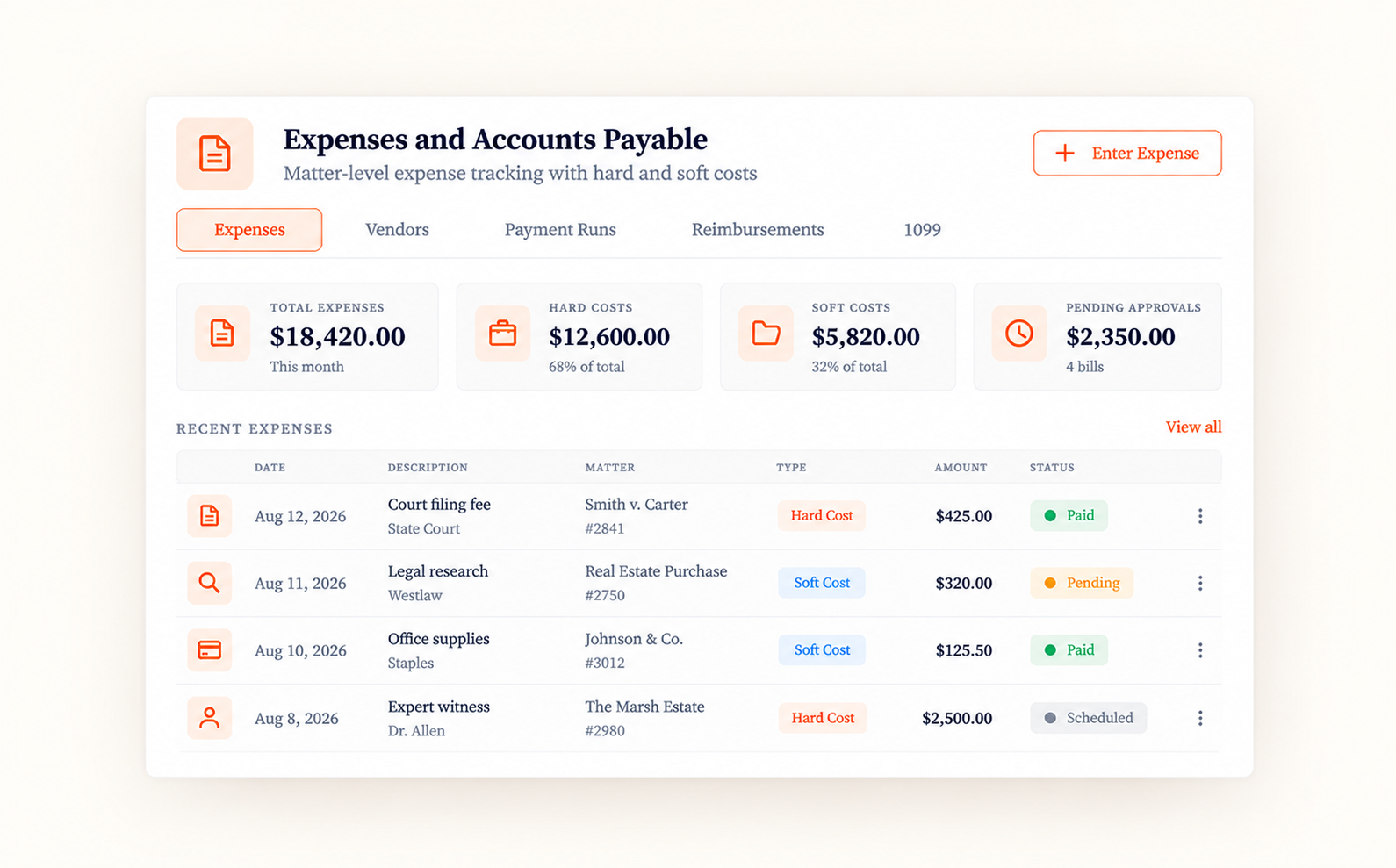
Expenses and Accounts Payable

Expenses are recorded against the matter they belong to, with hard and soft costs tracked separately. Vendor bills go through approval routing and are paid in payment runs, with a full payment history for each vendor.

  • Matter-level expense tracking with hard and soft costs
  • Vendor ledgers, bill entry and payment runs
  • Client reimbursements and cost advances
  • 1099 tracking and attorney expense approvals
Expenses and Accounts Payable dashboard

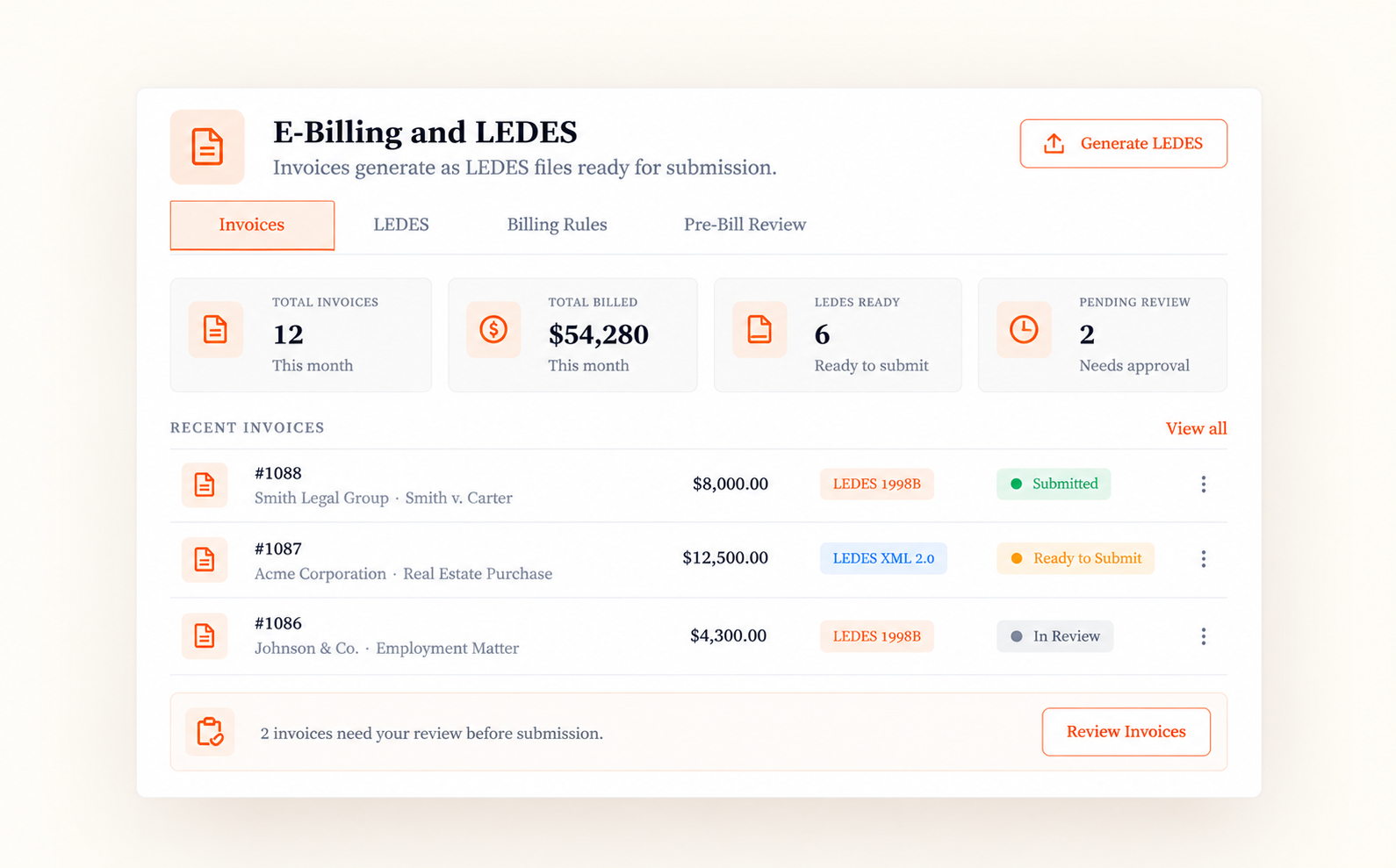
E-Billing and LEDES

Invoices generate as LEDES files ready for submission, with UTBMS task and activity codes attached to every line. Billing rules are set per client and per matter, so each client’s requirements apply to the right matters.

  • LEDES 1998B and LEDES XML 2.0
  • UTBMS task and activity codes
  • Per-client and per-matter billing rules
  • Pre-bill review before submission
E-Billing and LEDES dashboard

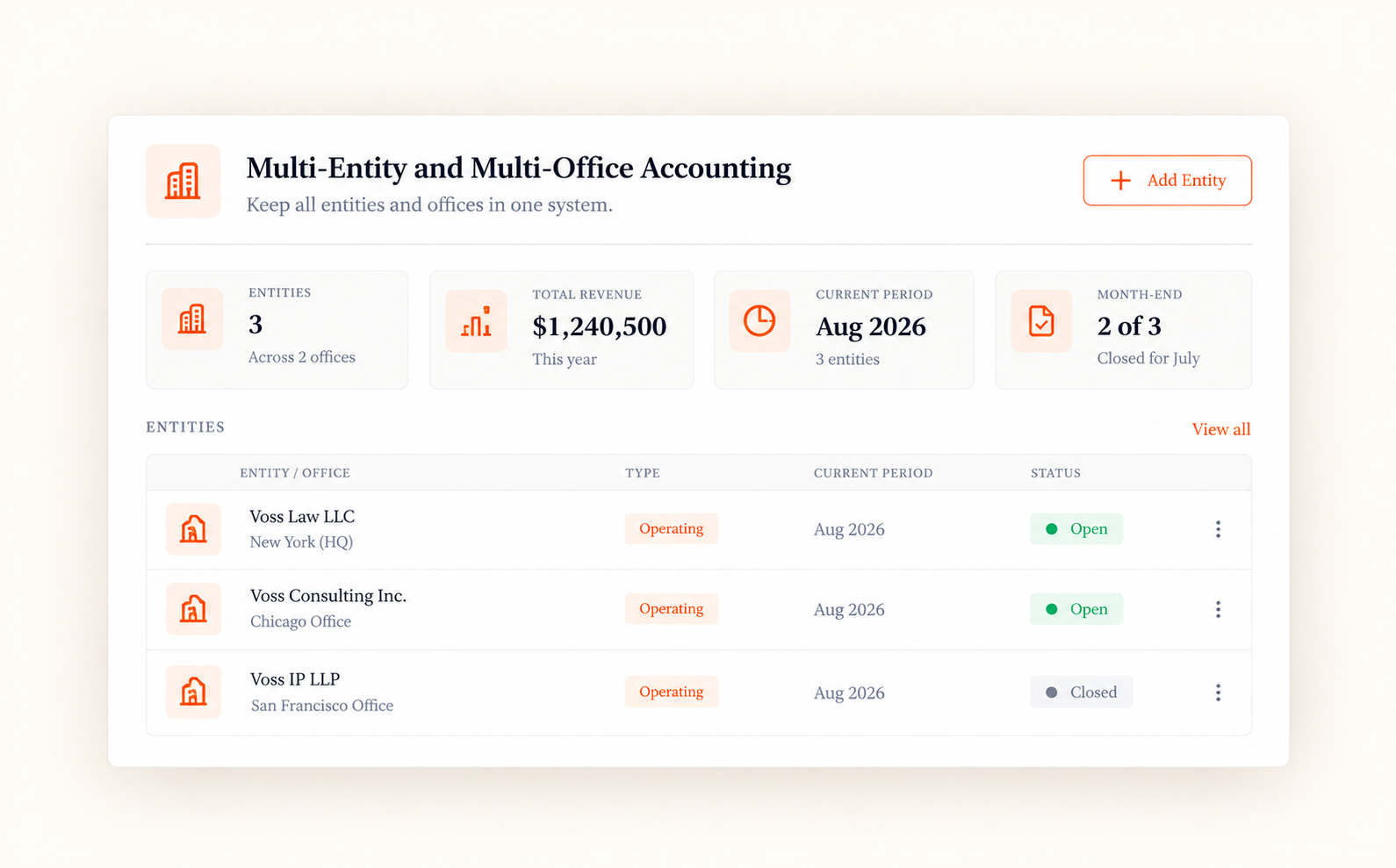
Multi-Entity and Multi-Office Accounting

Firms with more than one entity or office keep all their books in one system. Consolidated reporting shows each entity on its own and the whole firm together.

  • Multiple entities in one system
  • Multi-office accounting
  • Consolidated financial reporting
  • Accounting periods, accruals and month-end close
Multi-Entity and Multi-Office Accounting dashboard

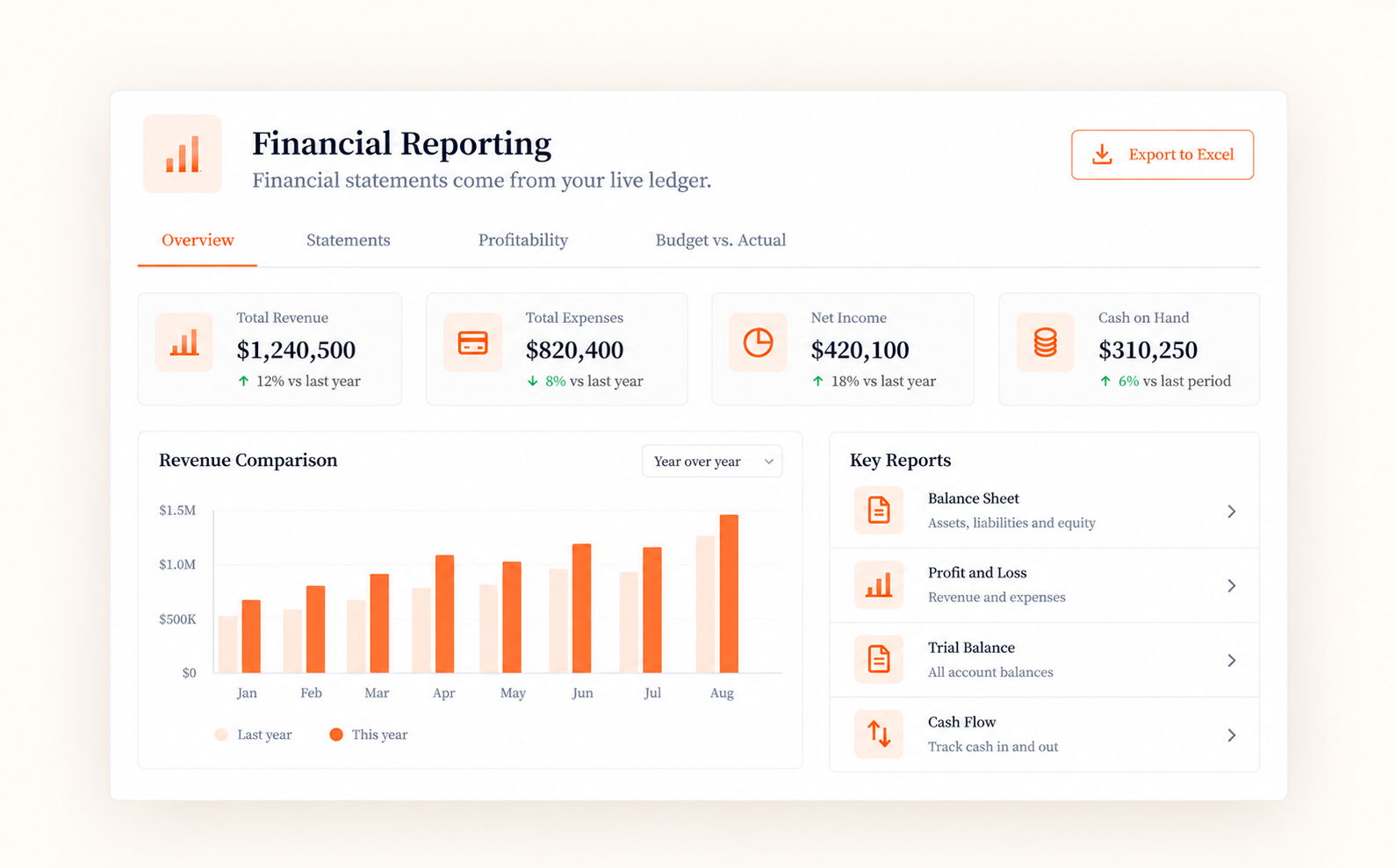
Financial Reporting

Financial statements come from your live ledger, and every report drills down to its source transactions. Custom reports filter by matter, attorney, practice area or date range and export to Excel.

  • Balance Sheet, P&L, Trial Balance and cash flow
  • Matter, attorney and practice-group profitability
  • Budget vs. actual by matter
  • Period-over-period and year-over-year comparisons
Financial Reporting dashboard

Real-World Ready

Built for Legal Finance Work

  • Trust deposits, earned fee transfers and refunds
  • Matter costs, cost advances and client reimbursements
  • Hourly, flat fee, contingency, retainer and hybrid billing
  • Insurance defense and corporate e-billing
  • Multi-entity and multi-office firms

Why LawAccounting

Built for Law Firms, Not Adapted From Generic Accounting

  • Trust accounting, billing and the general ledger in one system
  • Every transaction tied to a client and matter
  • Replaces QuickBooks and separate trust and billing tools
  • Works on its own or with CaseQube
  • Migration support and training included

How Client Trust Money Moves in LawAccounting

  1. 01

    Funds deposited

    A client deposit is recorded to that client’s trust ledger, against the matter it belongs to.

  2. 02

    Balances monitored

    Trust balances update in real time. Overdraft and commingling alerts flag problems before they reach the books.

  3. 03

    Fees earned and transferred

    When fees are earned, they move from trust to operating through a transfer that carries an approval trail.

  4. 04

    Accounts reconciled

    Bank balance, trust ledger and client ledger totals are matched in one view. Trust and operating accounts are reconciled separately.

  5. 05

    Reports produced

    State bar trust reports, client ledger reports and activity logs are generated from live data whenever you or an auditor need them.

LawAccounting Compared to General Accounting Software

Comparison of LawAccounting with general accounting software across seven capabilities.
CapabilityLawAccountingGeneral accounting software (QuickBooks, Xero)
Double-entry general ledgerYesYes
Client and matter trust ledgersBuilt inNot built in
Three-way reconciliationBuilt inNot built in
Overdraft and commingling alertsBuilt inNot built in
Contingency, retainer and hybrid legal billingBuilt inNot built for legal billing
LEDES and UTBMS e-billingBuilt inNot built in
Reporting by matter, attorney and practice groupBuilt inNeeds custom setup

Who Uses LawAccounting

  • Finance teams

    CFOs, controllers and accountants who run the books, close the month and work with auditors.

  • Managing partners

    Partners who need profitability by matter, attorney and practice group without waiting on a spreadsheet.

  • Firm administrators

    Staff who handle billing, vendor payments, collections and trust transfers day to day.

  • Multi-entity firms

    Firms with several entities or offices that need separate books and consolidated reporting.

How LawAccounting supports finance teams, managing partners, firm administrators and multi-entity firms

Getting Started With LawAccounting

Data migration

We move your data from QuickBooks or your current accounting system.

Setup

Your chart of accounts, bank feeds, trust accounts and billing rules are configured for your firm.

Training

Your team is trained on the workflows they’ll use every day.

Go live

Most firms go live in days to weeks, depending on their size and setup.

LawAccounting runs on Salesforce. You can use it on its own or with CaseQube.

Explore Other Products

Each product runs on its own. Firms usually start with one and add the rest as they need them.

CaseQube

Case and matter management

Intake, matter management, conflict checks, tasks, deadlines and workflows.

Explore CaseQube
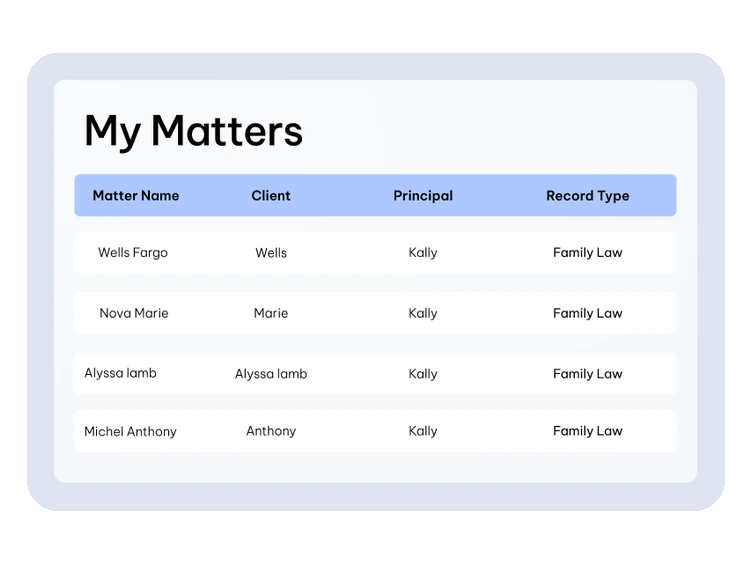
CaseQube My Matters table listing matters with client, principal and record type

CloudDoc

Document management

Matter-based document storage, OCR, classification and full-text search.

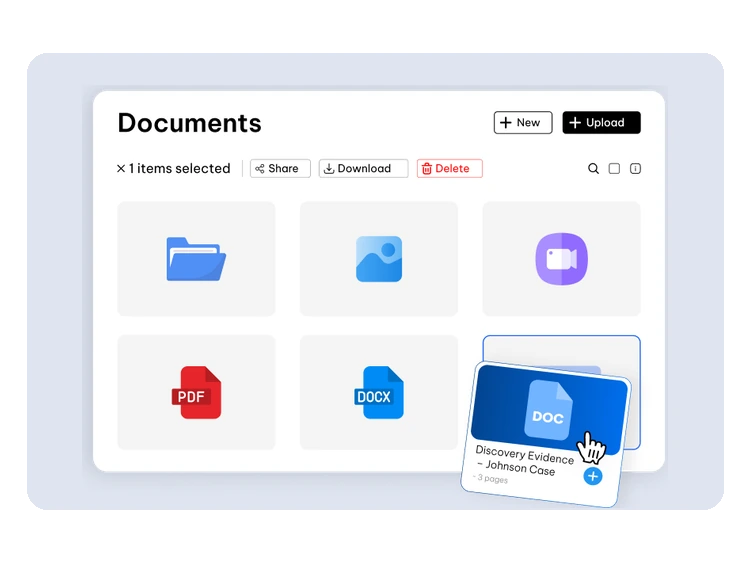
CloudDoc Documents panel with folders, PDF and Word files, and a case document being dragged inExplore CloudDoc

Maahi

Payments

Card and ACH payments, routed to trust or operating and posted to the client ledger.

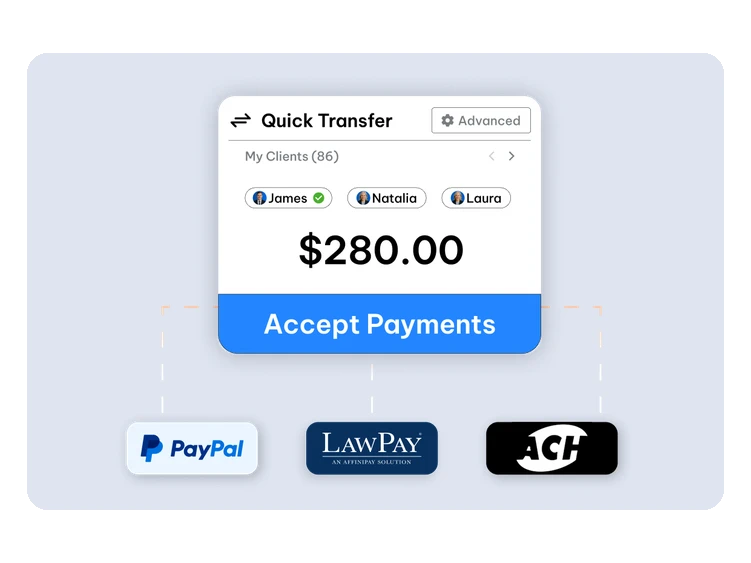
Maahi Quick Transfer panel accepting a client payment by PayPal, LawPay or ACHExplore Maahi

How much does LawAccounting cost?

LawAccounting is part of the LawAccounting Complete plan, which starts at $100 per user per month. Final pricing depends on firm size and implementation scope.

See pricing

Frequently Asked Questions

Legal accounting software is accounting software built for how law firms handle money: client trust accounts, legal billing arrangements and reporting by matter.

LawAccounting combines a double-entry general ledger, trust accounting, billing, bank reconciliation, expenses and financial reporting in one system.

Legal accounting software for law firms typically costs about $49 to $130 per user per month, plus setup and data migration. LawAccounting starts at $100 per user per month as part of the LawAccounting Complete plan.

Law firms hold client money in trust, follow state bar rules on handling it, and bill under arrangements like contingency fees and retainers. General accounting software isn’t built for any of this.

LawAccounting builds trust ledgers, legal billing and matter-level reporting into the ledger itself.

Trust accounting software records and tracks client funds a firm holds in trust, separate from its operating funds.

LawAccounting keeps segregated client and matter-level trust ledgers, with three-way reconciliation and trust reports.

IOLTA stands for Interest on Lawyers’ Trust Accounts. It’s a pooled trust account for client funds that are small or held for a short time.

LawAccounting supports IOLTA workflows and tracks each client’s balance within the account.

Three-way reconciliation compares the bank statement balance, the trust ledger balance and the total of all client ledgers. All three should match.

LawAccounting matches all three in one view, so you don’t have to reconcile in spreadsheets.

Trust balances are monitored in real time, with overdraft and commingling alerts. Trust and operating accounts are reconciled separately.

Through trust-to-operating transfers that carry an approval trail, so every movement is recorded and reviewed.

No. LawAccounting is a full double-entry general ledger with trust accounting, accounts payable, accounts receivable and financial statements.

Yes. LawAccounting includes migration support from QuickBooks and other accounting systems, along with training.

Hourly, flat fee, contingency, retainer and hybrid billing, plus split, blended and tiered structures, all set per client and per matter.

Yes. It generates LEDES 1998B and LEDES XML 2.0 files and supports UTBMS task and activity codes.

Yes. It supports multi-entity and multi-office accounting, with consolidated financial reporting.

Balance Sheet, P&L, Trial Balance, cash flow, Client Ledger, state bar trust reports, AR Aging, WIP, realization, originations, profitability by matter, attorney and practice group, and custom reports and dashboards.

Direct bank feeds bring in transactions daily from US and Canadian banks. Transactions are matched to ledger entries, and operating and trust accounts are reconciled separately.

Yes. LawAccounting includes vendor ledgers, bill entry, approval routing, payment runs, payment history and 1099 tracking.

LawAccounting runs on Salesforce and works on its own or with CaseQube. It’s also designed to work alongside other practice management systems.

Most firms go live in days to weeks, with training and migration support included.

One Platform. Complete Financial Control.

See how LawAccounting transforms financial operations for modern law firms.