
Legal Accounting September 18, 2026 11 min read
What to Look for in Legal Accounting Software: A Complete Guide for Law Firms
Legal accounting software must handle trust accounting, three-way reconciliation, and matter-level tracking. Here is what to look for and how to evaluate it.
Written by LawAccounting Editorial Team, Legal Technology · Trust Accounting · Practice Management · Legal Technology Editors
Accounting for a law firm is more than keeping track of income and expenses. Firms also need to manage client funds, trust accounts, billing, matter-level expenses, payments, reconciliation, and financial reporting.
That is why regular accounting software does not always fit the way law firms work. As a firm grows, managing these processes across different systems, spreadsheets, and manual workflows can become difficult.
The right legal accounting software should bring these processes together and make it easier to manage the firm's finances without losing the legal and matter-level context behind every transaction.
But with so many options available, how do you know what to actually look for?
The Problem With Traditional Accounting Systems
General accounting software can handle many of the basics a law firm needs. You can record income, track expenses, reconcile bank accounts, and generate standard financial statements.
The problem starts when your firm needs to manage financial activity that is specific to legal work.
Trust accounting becomes more complicated
Law firms may hold money on behalf of clients and need to keep those funds separate from the firm's operating money. Every transaction also needs to remain connected to the right client and matter.
When this information is managed manually or across different systems, it becomes harder to maintain accurate records and identify problems quickly.
Your financial data loses its context
A traditional accounting system might show that your firm spent $2,000. But that number alone does not tell you which matter the expense belongs to, whether it is billable, or whether the client has been reimbursed.
For law firms, that context is important. Financial activity needs to stay connected to the client, matter, attorney, or practice group behind it.
Reconciliation takes too much manual work
When bank transactions, trust records, and client ledgers are maintained separately, your finance team has to compare information across multiple records.
This can turn reconciliation into a recurring spreadsheet exercise. It also makes it easier for duplicate entries, missing transactions, or incorrect allocations to go unnoticed.
Reporting often stops at the firm level
A standard P&L statement can tell you how the firm is performing overall. But law firm leaders often need more information.
They may want to understand profitability by matter, attorney, or practice group, track WIP and realization, monitor collections, or see where revenue is coming from.
Growth makes these problems bigger
More clients and matters mean more transactions. Add multiple attorneys, offices, or entities, and the financial workflow becomes even more complex.
At that point, adding another spreadsheet or another disconnected tool usually creates more work instead of solving the problem.
This is where purpose-built law firm accounting software can make a difference.
Key Accounting Features for Law Firms
The right legal accounting system should give your firm a strong accounting foundation while also handling the financial workflows that are specific to legal work.
Trust and IOLTA Accounting
Trust accounting should be one of the first things you evaluate. Your software should let you maintain separate records for client funds while keeping every transaction connected to the correct client and matter.
Look for support for client and matter-level trust ledgers, trust-to-operating transfers, trust reconciliation, and detailed transaction histories. The goal is to make trust activity easier to track and review without relying on separate spreadsheets.
Three-Way Reconciliation
Three-way reconciliation brings together the trust bank balance, the firm's trust ledger, and the individual client ledgers. These three records need to agree for the account to be properly reconciled.
Your software should make this comparison easy to perform and easier to investigate when something does not match. Instead of checking separate reports manually, your team should be able to work through reconciliation in one connected workflow.
Client and Matter-Level Accounting
Legal accounting needs to go beyond account-level numbers. Your financial records should tell you which client and matter a transaction belongs to.
This becomes useful across the entire firm. You can track matter expenses, client payments, trust activity, outstanding balances, and revenue without having to piece the information together from different systems.
General Ledger
Trust accounting is only one part of a firm's financial operation. Your software should also provide a proper general ledger based on double-entry accounting.
Look for capabilities such as a legal-specific chart of accounts, journal entries, recurring and reversing entries, and support for multiple entities or offices. This gives your finance team a reliable foundation for managing the firm's books.
Legal Billing and Invoicing
Billing should be connected to accounting rather than treated as a separate process. When bills, payments, fees, and costs flow into the financial records, your team spends less time entering the same information twice.
Depending on your firm's needs, look for support for hourly, flat-fee, contingency, and hybrid billing, along with LEDES 98B and XML e-billing, pre-bill review, approval workflows, and batch invoicing.
Bank Reconciliation
Your accounting team should not have to manually enter every bank transaction. Direct bank feeds and transaction matching can bring bank activity into the accounting workflow and reduce repetitive data entry.
A useful system should also help your team track deposits and clearing activity, manage multiple accounts, and keep a complete history of reconciled transactions.
Accounts Receivable and Collections
Knowing what you billed is only part of understanding your firm's financial position. You also need to know what has been collected and what is still outstanding.
Your accounting software should give you visibility into AR aging, collections, WIP, realization, and matter-level receivables. Payment reminders can also help your team stay on top of outstanding balances without having to track them manually.
Accounts Payable, Vendors, and Expenses
Law firms also need control over where money is going. Vendor payments, employee expenses, client reimbursements, and matter-related costs should be recorded accurately and remain connected to the right financial records.
Look for vendor ledgers, 1099 tracking, approval workflows, payment runs, matter-level expense tracking, cost advances, and support for both hard and soft costs.
Legal Payments
Online payments should not create another disconnected financial process. When a client makes a payment, the activity should be tied back to the relevant client, matter, invoice, and accounting records.
This reduces manual payment entry and gives your finance team a clearer view of collections and outstanding balances.
Financial Reporting
Accounting data becomes much more useful when it can answer business questions. Your software should provide more than basic financial statements.
Look for reporting across the firm, matters, attorneys, and practice groups, along with P&L, balance sheet, trial balance, AR, WIP, and period-over-period reporting. The ability to create custom reports and export data can also be important when your firm's reporting needs become more complex.
How to Choose Accounting Software for a Law Firm
Choosing accounting software should start with your firm's problems, not with a list of software features.
Before comparing platforms, look at how your team currently handles accounting. Where are people entering the same information more than once? Which processes depend on spreadsheets? Where do reconciliation issues occur? Which reports take the most time to prepare?
These questions will help you identify what the new system actually needs to solve.
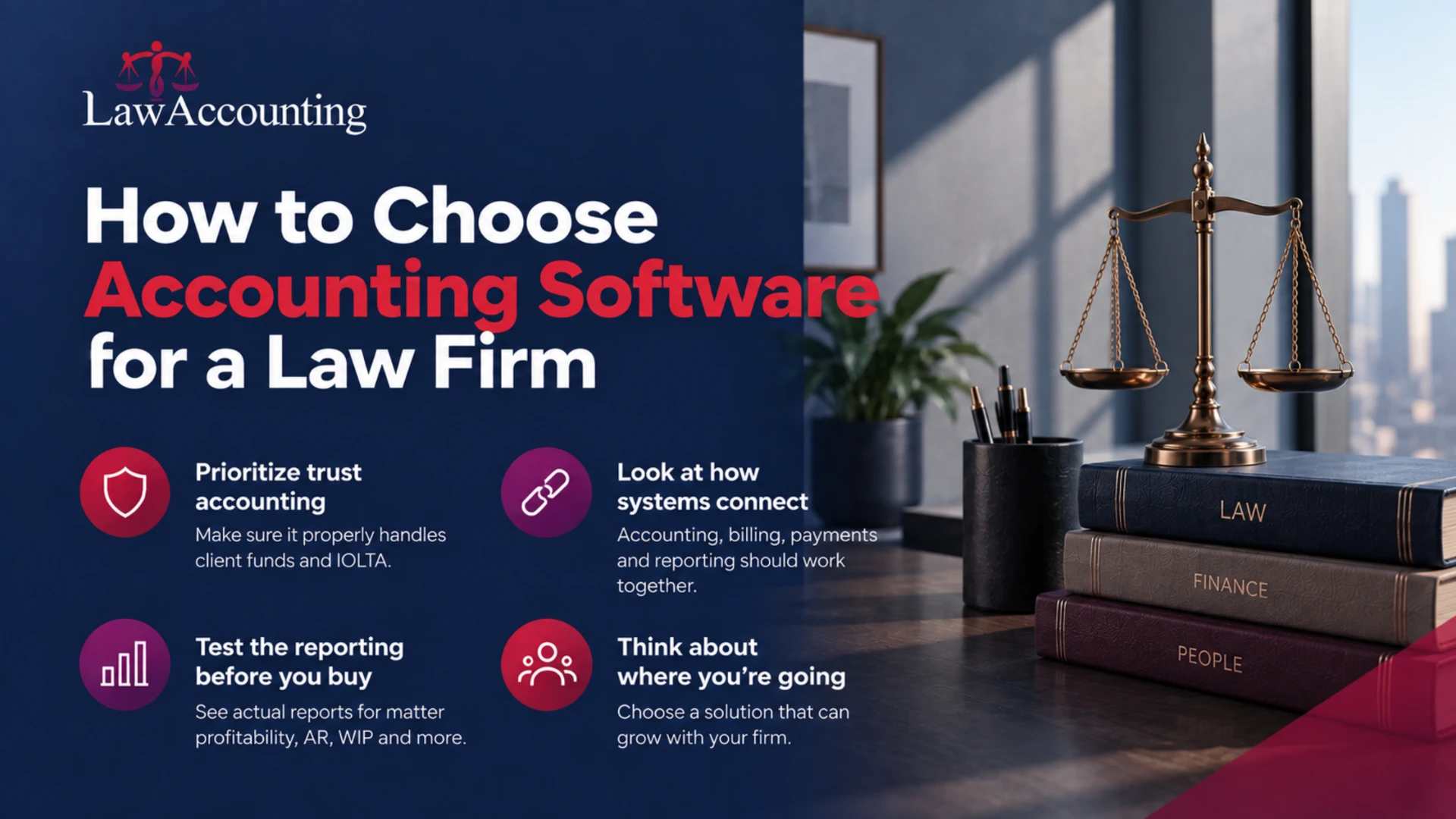
Start with trust accounting
If your firm manages client funds, make trust accounting a priority when evaluating software.
Do not settle for a simple "supports IOLTA" claim. Ask how the system manages individual client ledgers, trust transactions, transfers, reconciliation, and transaction history. You want to understand how the entire trust accounting process works inside the software.
Look at how the systems connect
Accounting, billing, payments, expenses, and reporting should not feel like separate systems.
Ask what happens when a bill is created, a payment is received, an expense is recorded, or a bank transaction comes through. Does the information flow into the right financial records automatically, or will someone have to enter it again?
The more connected the workflow, the less manual work your team has to manage.
Test the reporting before you buy
Do not just ask whether the software has "financial reporting." Ask to see the actual reports.
Can you see revenue by matter? Profitability by attorney? Performance by practice group? AR and WIP? Can you compare periods? Can you create the report your managing partner asks for without exporting everything into Excel?
The answers will tell you much more than a feature list.
Think about where your firm is going
Your accounting software should work for your firm today without becoming a limitation as the firm grows.
Consider the number of users, offices, entities, transactions, and financial records you expect to manage in the future. If your firm is expanding, check whether the system can support multiple offices and entities, consolidated reporting, permissions, and approval workflows.
Consider the people who will actually use it
A system can have every feature your firm needs and still become a problem if your finance team finds it difficult to use.
Look at how easy it is to enter transactions, reconcile accounts, find client records, generate reports, and correct mistakes. Also consider the quality of implementation and support available when your team needs help.
Check integrations carefully
Your accounting software should fit into your existing technology stack.
Look at how it works with your firm's practice management, billing, banking, payment, and other financial systems. More importantly, understand what data moves between those systems and how much manual work is still required.
Compare the complete cost, not just the subscription
The price of accounting software is only one part of the decision.
Consider implementation, migration, integrations, additional users, support, training, and any other costs that may come with the platform. A cheaper system can become expensive if your team still needs spreadsheets and manual processes to fill the gaps.
Ask what happens when something goes wrong
Financial software needs strong controls and visibility.
Ask whether the system maintains transaction histories and audit trails, how corrections are handled, who can access sensitive financial information, and how your team can investigate discrepancies.
For a law firm, these details matter just as much as the feature list.
Why Choose LawAccounting?
LawAccounting is built specifically for law firms, so your accounting workflow does not have to be adapted around a system designed for general business accounting.
It brings trust and IOLTA accounting, billing, reconciliation, payments, expenses, receivables, payables, general ledger accounting, and financial reporting into one connected system.
Built around legal trust accounting
LawAccounting lets you manage client and matter-level trust ledgers, track trust transactions, handle trust-to-operating transfers, and maintain a detailed record of activity.
Three-way reconciliation in one place
Bring your trust bank balance, trust ledger, and client ledgers together for reconciliation. Your team can work with the records in one connected workflow instead of relying on separate spreadsheets and reports.
Financial activity stays connected to matters
Track expenses, payments, billing, receivables, and trust activity at the client and matter level. This gives your team more context behind the numbers.
Complete accounting for growing firms
LawAccounting provides double-entry accounting, a legal-specific chart of accounts, journal entries, and multi-entity and multi-office consolidation.
Billing and accounting work together
Manage hourly, flat-fee, contingency, and hybrid billing along with LEDES 98B and XML e-billing, pre-bill review, invoicing, and payment activity.
Reporting that goes beyond the firm's books
See financial performance across the firm, matters, attorneys, and practice groups. Use P&L, balance sheet, trial balance, AR, WIP, and comparative reporting to understand what is happening across the business.
Less manual work
Bring bank activity into your workflow, match transactions, manage recurring entries, automate payment reminders, and reduce repetitive accounting tasks.
Bottom Line
The right legal accounting software should make your firm's financial processes easier to manage, not add another layer of work.
Look for a system that understands trust accounting, keeps financial activity connected to clients and matters, brings billing and accounting together, and gives your team the reporting and controls needed to manage a growing firm.
LawAccounting brings these workflows together in one accounting system built specifically for law firms.
Frequently Asked Questions
What is the best legal accounting software for law firms?
The best legal accounting software is one that fits the way your firm manages trust accounting, billing, financial transactions, and reporting. LawAccounting is built specifically for law firms and combines IOLTA and trust accounting, three-way reconciliation, legal billing, general ledger accounting, payments, AR, AP, expenses, and financial reporting in one system.
What should I look for in legal accounting software?
Start with the areas that are most important to a law firm: trust and IOLTA accounting, three-way reconciliation, client and matter-level tracking, legal billing, bank reconciliation, general ledger accounting, AR and AP, payments, and financial reporting. You should also consider integrations, automation, ease of use, security, support, and whether the software can scale with your firm.
Is legal accounting software better than QuickBooks for a law firm?
QuickBooks can handle general accounting, but it is not built specifically around the financial workflows of law firms. Firms that need deeper trust accounting, client and matter-level tracking, three-way reconciliation, legal billing, and legal-specific reporting may benefit from purpose-built legal accounting software. LawAccounting brings these capabilities together in one system.
Do law firms need separate software for trust accounting?
Not necessarily. A legal accounting platform can bring trust accounting and the firm's operating accounting into the same system while keeping the records separate. LawAccounting supports client and matter-level trust ledgers, IOLTA accounting, trust-to-operating transfers, and three-way reconciliation.
What is three-way reconciliation in legal accounting?
Three-way reconciliation compares the trust bank balance, the firm's trust ledger, and the individual client ledgers. The three records should agree. A legal accounting system can make this process easier by keeping these records connected and giving your team one place to review and reconcile them.
Can legal accounting software handle legal billing?
Yes. Legal accounting software can connect billing activity with the firm's financial records. LawAccounting supports hourly, flat-fee, contingency, and hybrid billing, as well as LEDES 98B and XML e-billing, pre-bill review, batch invoicing, and branded invoice templates.
Can legal accounting software track expenses by matter?
Yes. Matter-level expense tracking is one of the important differences between legal accounting and general business accounting. LawAccounting allows firms to track matter-level expenses, hard and soft costs, client reimbursements, and cost advances so financial activity stays connected to the matter it belongs to.
Can legal accounting software support multiple law firm offices?
Yes, depending on the platform. Firms with multiple offices or entities should look for accounting software that can keep financial records organized while also providing consolidated reporting. LawAccounting supports multi-entity and multi-office consolidation.
How does legal accounting software help reduce manual work?
Legal accounting software can automate or connect repetitive processes such as bank feeds, transaction matching, recurring journal entries, payment reminders, billing, and financial reporting. The goal is to reduce duplicate data entry and let the finance team spend more time reviewing financial information instead of moving it between systems.
Is LawAccounting suitable for mid-sized law firms?
Yes. LawAccounting is designed for firms that need more than basic accounting. Its trust accounting, billing, reconciliation, general ledger, AR, AP, payments, expense tracking, multi-office and multi-entity accounting, and financial reporting capabilities make it suitable for growing and mid-sized law firms.