In-House Counsel Software for Corporate Legal Departments

Manage legal requests, matters, contracts, deadlines, time and outside counsel costs in one system built for in-house legal teams.

In-House Counsel Software | Legal Department Software | Legal Matter Management | Legal Request Intake

In-house legal department matter and cost management

How In-House Legal Work Runs

An in-house legal team works for one client: the business. Requests come in from sales, HR, finance and leadership, usually by email or a message, and each one needs an owner, a deadline and an answer.

The work is spread across contracts, disputes, employment questions, regulatory filings and advice that never turns into a formal matter. Documents live in inboxes and shared drives. Renewal and filing dates live in someone's calendar.

Outside counsel adds another layer. Their bills have to be checked against the matter, approved and paid, and the general counsel still has to explain the total to finance at the end of the quarter.

Then there's the question every legal department gets asked: what did legal actually do this year? Without time and matter data, that answer comes from memory.

So in-house counsel software has to do two jobs. Run the requests and matters, and give the general counsel the numbers to show what the team handled and what it cost.

In-House Counsel Software Key Features

Legal Request Intake

Business teams submit requests through web forms and branching questionnaires that ask the right questions for each request type. Each request is routed to the right person and turned into a matter automatically, so nothing sits in someone's inbox.

  • Web intake forms for business requests
  • Branching, logic-driven questionnaires
  • Automatic routing to the right attorney or team
  • Matters created from the intake data

Matter Management

Every contract review, dispute, employment issue and regulatory question lives on its own matter record, organized by practice area and matter type. Matters move through stages you define, with tasks and checklists created at each stage.

  • Matter records by practice area and matter type
  • Stage-based matter workflows
  • Tasks and checklists created automatically by stage
  • No-code rules you can change as your process changes

Tasks and Deadlines

Every task has an owner and a due date. Contract renewals, filing dates and hearing dates are tracked with reminders, and the whole team can see what's due across every matter.

  • Task assignment and ownership
  • Deadline reminders
  • Stage-driven checklists
  • Shared task visibility across the legal team

Contracts and Document Management

Contracts, agreements, policies and correspondence are stored in matter-based folders with access control and full version history. OCR makes scanned documents searchable, and agreements can be generated from templates and sent for e-signature without leaving the matter.

  • Matter-based folders with folder-level permissions
  • Version history and rollback
  • OCR and full-text search across PDFs and scans
  • Template-based document generation and e-signature

Legal Department Time Tracking

Attorneys record time against the matter as the work happens, without producing a bill. Over a year, that time shows where the department's hours went by matter, attorney and practice area.

  • Time recorded against each matter
  • Time reported by attorney and practice area
  • Missed time entries flagged
  • Reports filtered by matter, attorney or date range

Outside Counsel and Vendor Costs

Outside counsel firms and other vendors each have their own vendor record. Their bills are entered against the matter, go through approval routing and are paid in payment runs, with a full payment history for every vendor.

  • Vendor ledgers and bill entry
  • Bill approval routing and payment runs
  • Costs recorded against the matter
  • Vendor payment history and 1099 tracking

Legal Department Reporting

Dashboards and custom reports show matter volume, team workload and costs by matter, attorney or practice area. Reports can be saved and exported to Excel for finance and leadership.

  • Custom report builder
  • Dashboards for team performance
  • Filters by matter, attorney, practice area or date range
  • Export to Excel

Secure Collaboration

Shared tasks and live matter updates keep everyone on a matter working from the same information. Documents go to business colleagues and outside counsel through share links with expiry dates, password protection and access controls, and every share is recorded in the audit trail.

  • Shared tasks and live matter updates
  • Share links with expiry and password protection
  • Recipient-level access controls
  • Sharing activity recorded in the audit trail

How a Legal Request Moves Through the System

  1. 01

    Request submitted

    Someone in the business fills in an intake form, and the questionnaire collects what legal needs for that request type.

  2. 02

    Matter opened and routed

    A matter is created from the request and assigned to the right attorney or team.

  3. 03

    Work assigned

    Tasks, checklists and deadlines are created as the matter moves through its stages.

  4. 04

    Documents handled

    Drafts, contracts and correspondence are stored on the matter, generated from templates and sent for e-signature.

  5. 05

    Time and costs recorded

    Attorneys log time against the matter, and outside counsel bills are entered, approved and paid against the same matter.

  6. 06

    Matter closed and reported

    The matter's history, hours and costs are kept on the record, ready for reporting.

Managing Outside Counsel and Legal Department Costs

Most of a legal department's spend goes to outside counsel and vendors. Tracking that spend against the matter is what lets the general counsel explain it to finance.

What's built in

Vendor ledgers

Each law firm and vendor has its own record, with bill entry and full payment history.

Approval routing

Bills go through approval before they're paid.

Payment runs

Approved bills are paid in batches.

Matter-level costs

Every bill and expense is recorded against the matter it belongs to, with hard and soft costs tracked separately.

Budget vs. actual

Matter budgets are compared with actual costs as bills come in.

Cost reporting

Spend is reported by matter, vendor, practice area or date range, with Excel export.

In-House Counsel Software vs. Email, Spreadsheets and Shared Drives

CapabilityIn-house counsel softwareEmail, spreadsheets and shared drives
Business requests capturedIntake forms create mattersRequests buried in inboxes
Matter trackingEvery matter on its own recordSpreadsheet trackers
Deadlines and renewalsTracked with remindersPersonal calendars
Contract storageMatter-based folders with version historyShared drive folders
Time on legal workRecorded against each matterRarely tracked
Outside counsel billsApproved and recorded against the matterPaid through accounts payable without matter detail
Reporting to leadershipDashboards and saved reportsBuilt by hand each quarter

Built for Every Role in the Legal Department

General counsel

Sees matter volume, team workload and outside counsel costs without asking someone to build a report.

In-house attorneys

Keep every matter, task, deadline and document in one place.

Paralegals and legal operations

Manage intake, workflows, templates and vendor bills.

Finance partners

Get legal spend broken down by matter, vendor and practice area.

Where AI Does the Work

AI identifies the request type at intake, so new requests reach the right person faster. It classifies and tags documents as they arrive, so contracts, notices and correspondence land on the right matter. It flags time entries that were never recorded, so the department's hours reflect the work it did. And it lets your team search and ask questions across documents, so finding a clause in last year's agreements doesn't mean opening each file.

AI output in this platform is a suggestion, not a decision. Every AI-assisted entry goes through the same review, approval and audit trail as anything entered by hand, and your team makes the final call.

The Products Behind It

CaseQube

Matter management

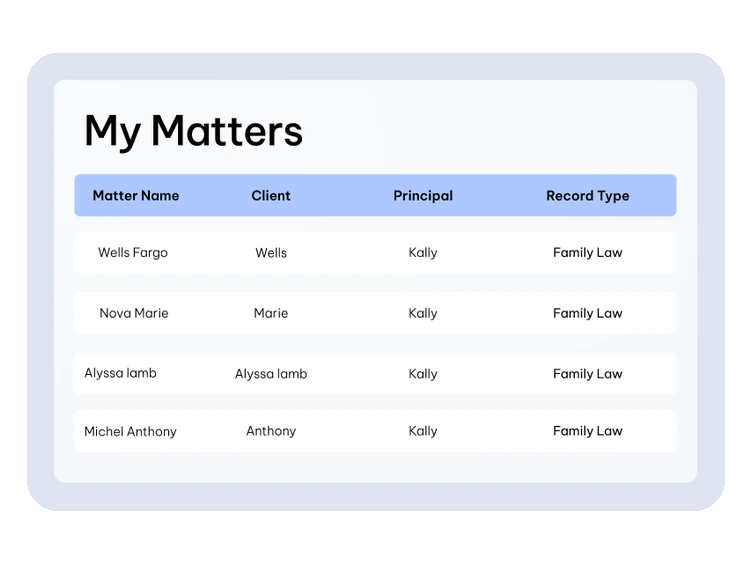
Request intake, matters, stages, tasks, deadlines and time.

Explore CaseQube
CaseQube My Matters table listing matters with client, principal and record type

CloudDoc

Document management

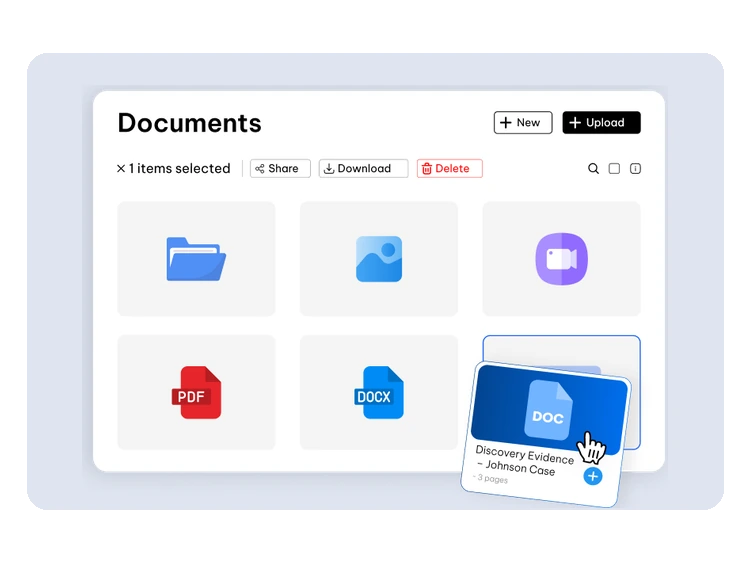
Contracts and legal documents stored by matter, with OCR, templates, e-signature and secure sharing.

CloudDoc Documents panel with folders, PDF and Word files, and a case document being dragged inExplore CloudDoc

LawAccounting

Legal costs and accounting

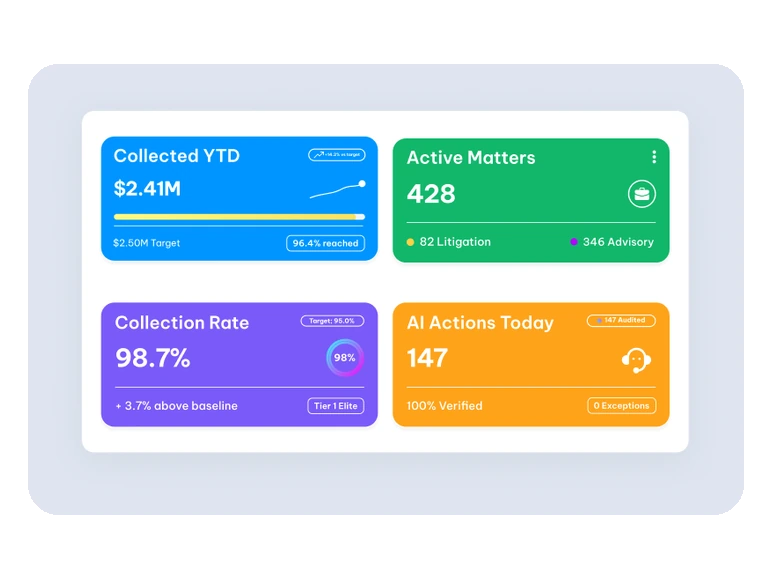
Vendor ledgers, bill approvals, payment runs, matter-level costs and budget vs. actual.

LawAccounting dashboard cards showing fees collected year to date, active matters, collection rate and AI actionsExplore LawAccounting

Adopt one product or all three. Each runs on its own.

Frequently Asked Questions

In-house counsel software helps a company's internal legal team manage requests, matters, contracts, deadlines, documents and outside counsel costs in one system.

LawAccounting covers request intake, matter management, document management, time tracking, vendor costs and reporting for legal departments.

Legal department software is another name for software built for in-house legal teams. It replaces the mix of email, spreadsheets and shared drives that most departments start with.

Law firm software is built around billing clients. In-house teams don't bill. They take requests from the business, manage matters, pay outside counsel and report to leadership.

LawAccounting is set up for that work: request intake, matter tracking, time recorded for reporting rather than invoicing, and vendor costs tracked by matter.

Legal matter management software tracks each matter from the first request to close, including its tasks, deadlines, documents, time and costs.

Through web intake forms with branching questionnaires. Each request is routed to the right person and becomes a matter automatically.

Yes. Deadlines are tracked as tasks with owners, due dates and reminders, and the whole team can see what's coming up.

Yes. Contracts are stored in matter-based folders with access control, version history and OCR search. Agreements can be generated from templates and sent for e-signature.

Time records show where the department's hours go by matter, attorney and practice area. That's the data a general counsel needs to show leadership what legal handled and to plan staffing.

Each outside counsel firm has a vendor record. Their bills are entered against the matter, routed for approval and paid in payment runs, with full payment history.

Yes. Matter-level budget vs. actual reporting compares each matter's budget with the costs recorded against it.

Matter volume, team workload, time by attorney and practice area, costs by matter and vendor, and budget vs. actual. Custom reports can be filtered, saved and exported to Excel.

Yes. Share links carry expiry dates, password protection and recipient-level access controls, and every share is recorded in the audit trail.

Yes. Stages, task rules and fields are configured without code, so a contract review and a litigation matter can follow different processes.

Yes. The platform runs on Salesforce, so matter data sits on infrastructure many corporate IT teams already know.

Yes. The platform is SOC 2 certified, data is encrypted in transit and at rest, and role-based permissions control who sees what.

Typical implementation takes under 30 days.

Make Your Legal Department Easier to Run

Manage requests, matters, contracts, time and outside counsel costs in one system built for in-house legal teams.