Legal Billing October 20, 2026 8 min read
Free Legal Invoice Template (Plus What Every Law Firm Invoice Must Include)
Published: October 20, 2026
Written by Ramit Kaur · Head of Marketing, LawAccounting
A legal invoice has one job: get the client to pay without calling your office first. If it's missing a matter number, has a vague time entry or uses a rate the client never agreed to, payment gets delayed while someone sorts it out.
This guide gives you a free legal invoice template you can copy, a checklist of what every law firm invoice must include, and how to adjust the template for hourly, flat fee, retainer and contingency work. It also covers e-billing, common mistakes and a short FAQ.
What should every law firm invoice include?
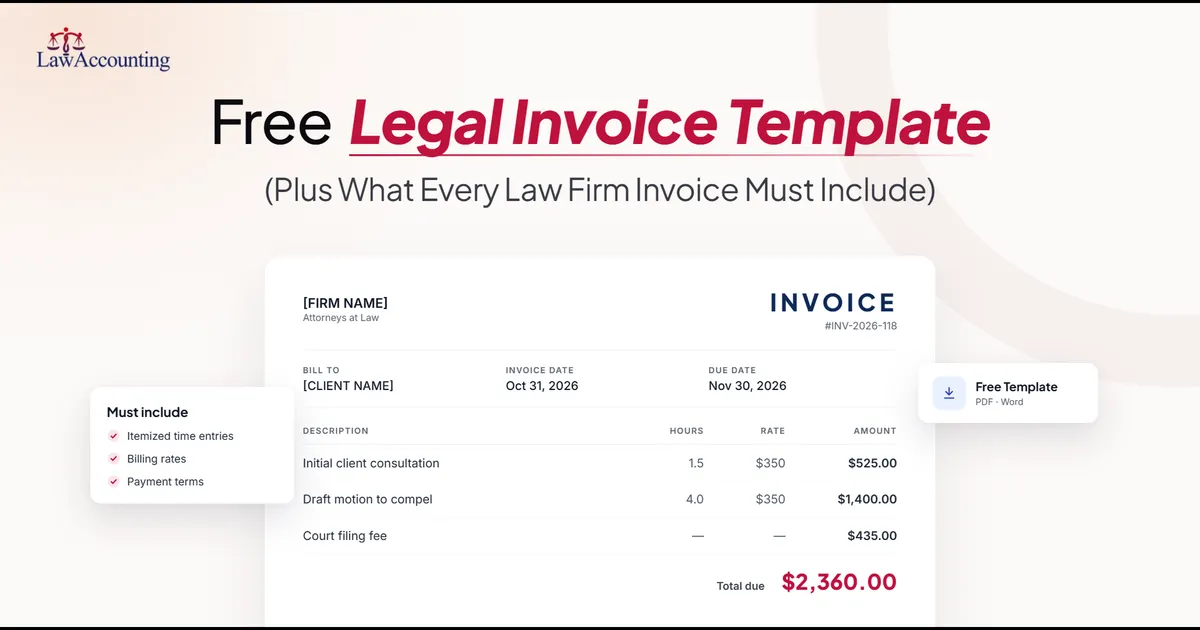
Every law firm invoice must include enough detail for the client to see what they're paying for and how the amount was calculated. Here's the checklist:
- Firm name and contact details, including the address, phone, email and tax ID if clients ask for it
- A unique invoice number that never repeats
- Invoice date and billing period
- Client name and billing address
- Matter name and matter number
- Itemized services with date, timekeeper, description, hours, rate and amount
- Expenses listed separately from fees
- Subtotals and total due
- Payments and trust funds applied, if any
- Payment terms: due date, payment methods and any late fee terms
- A billing contact for questions
ABA Model Rule 1.5 requires lawyers to explain the basis of their fees and expenses to clients and to charge only reasonable fees. A detailed invoice is how you show the client that the fee matches the work.
Why invoice numbers matter
Every invoice needs its own number, in sequence. Invoice numbers let you match payments to the right bill, track what's still unpaid, and find any invoice quickly during an audit or fee dispute. A simple format works: the year plus a running number, like 2026-0412.
Free legal invoice template
Copy this legal invoice template into Word, Google Docs or your billing system, and replace the bracketed fields.
[Firm Name]
[Street address, city, state, ZIP]
[Phone] | [Billing email] | [Website]
Tax ID: [optional]
INVOICE
Professional services
| Date | Timekeeper | Description of work | Hours | Rate | Amount |
|---|---|---|---|---|---|
| 10/03 | R. Shah, Partner | Review client's draft supplier agreement and mark up payment and termination terms | 1.4 | $425 | $595.00 |
| 10/07 | L. Ortiz, Associate | Research state law on enforcing late delivery penalties in supply contracts | 1.8 | $260 | $468.00 |
Expenses
Invoice summary
Trust account balance: [$0.00] remaining after this invoice
Payment terms
Payment is due within [30] days of the invoice date. We accept [ACH, check, credit card]. [Late fee terms, if allowed by your fee agreement and state rules.]
Questions about this invoice? Contact [Name] at [email] or [phone].
For a filled-in example with real numbers, see our attorney billing statement sample.
How to adjust the legal invoice template for each fee type
Hourly invoice template
Use the template as it is. Each time entry should list one task with its own time. Bill in the increments your fee agreement sets, often tenths of an hour.
Flat fee invoice template
Replace the time entry table with one line for the flat fee service, such as "Uncontested divorce, flat fee: $2,500." Add a short description of what's included. If the fee is paid in stages, show which stage this invoice covers. Some states require unearned flat fees to be held in trust, so check your state's rules before you deposit them.
Retainer invoice template
Keep the time entries, and make sure the invoice summary shows the trust activity: the opening trust balance, the amount applied to this invoice and the remaining balance. If the fee agreement has an evergreen retainer, add a line requesting a deposit to bring trust back up to the agreed amount.
Contingency fee invoice
Contingency cases usually don't get monthly invoices. When the matter ends, the client gets a closing statement instead. Under ABA Model Rule 1.5(c), that statement must be in writing and show the outcome of the matter, the amount the client receives, and how that amount was calculated. That includes the fee percentage and the expenses deducted. Some firms still send periodic statements of costs advanced so the client isn't surprised at the end.
What is the best format for a legal invoice?
Send legal invoices as PDFs. A PDF looks the same on every device, can't be edited by accident and is easy to save. Build the invoice in Word, Excel, Google Sheets or your billing software, then export it.
LEDES invoices for corporate and insurance clients
Many corporate legal departments and insurance companies won't accept a PDF invoice. They require e-billing through their own platforms in LEDES format. LEDES (Legal Electronic Data Exchange Standard) is a standard file format for legal invoices, and LEDES 1998B is the most common version. These clients usually also require UTBMS codes on each time entry. Check each client's billing guidelines before you send the first invoice. Our UTBMS codes list explains how the codes work.
How to write time entries on a legal invoice
Good time entry descriptions say what was done, what it involved and why. "Drafted motion to compel production of financial records from opposing party" is clear. "Drafting. 2.0" is not.
Two more rules help:
- Avoid block billing. Give each task its own entry and time. Clients and insurers often reject entries that combine several tasks.
- Keep strategy off the invoice. Invoices can end up with a client's auditors, an insurer or a court in a fee dispute. Describe the task clearly, but don't spell out legal advice or case strategy.
Common legal invoice mistakes
- Missing matter number or putting two matters on one invoice
- Billing a rate that's different from the fee agreement
- Vague or block-billed time entries
- Charging for work on the wrong matter
- Leaving out trust payments or applying trust money that wasn't earned
- Inconsistent invoice numbers, or duplicate ones
- No due date or payment instructions
- Sending invoices at random times instead of on a set schedule
Frequently asked questions about legal invoice templates
What should every law firm invoice include?
Firm details, a unique invoice number, invoice date and period, client and matter details, itemized services, expenses, totals, payments and trust activity, payment terms and a billing contact.
Is there a free legal invoice template I can use?
Yes. You can copy the template in this guide into Word, Google Docs or your billing software and adjust it for your firm.
What is the best format for a legal invoice?
PDF works for most clients. Corporate and insurance clients often require LEDES e-billing files instead.
How do you show a retainer or trust payment on a legal invoice?
Show the amount applied from trust in the invoice summary, along with the remaining trust balance. Apply only fees that have been earned, and follow your state's notice rules.
How often should a law firm send invoices?
Most firms invoice monthly. Pick a schedule, put it in the fee agreement and send invoices on the same date every month.
What is a LEDES invoice, and who needs one?
A LEDES invoice is a standard electronic file format for legal bills. Firms that bill corporate legal departments or insurance companies often have to use it.
Should legal invoices include detailed time entries?
For hourly work, yes. Each entry should list the date, timekeeper, task, time and amount. Detailed entries reduce questions and disputes.
Can a law firm add late fees to an invoice?
Often yes, if the client agreed to it in the fee agreement and your state allows it. Some states limit late fees or interest, so check your state bar's rules first.
What are the most common legal invoice mistakes?
Missing matter numbers, wrong rates, vague or block-billed entries, wrong trust amounts and missing payment terms.
Use one template, every time
A legal invoice template saves time only if everyone at the firm uses the same one. Pick a format, set up versions for the fee types you use, number invoices in sequence and send them on a set schedule. Clients get used to the layout and know where to look, so there are fewer questions.
Templates still depend on correct data. If time entries, trust balances and payments are tracked in separate systems, someone has to copy numbers between them before every invoice goes out. LawAccounting keeps billing, trust accounting and the general ledger in one platform, so the numbers on each invoice already match your books.