Legal Accounting October 8, 2026 8 min read
Legal Accounting Software vs. Practice Management Software: What's the Difference?
By LawAccounting Team · Last updated: October 2026
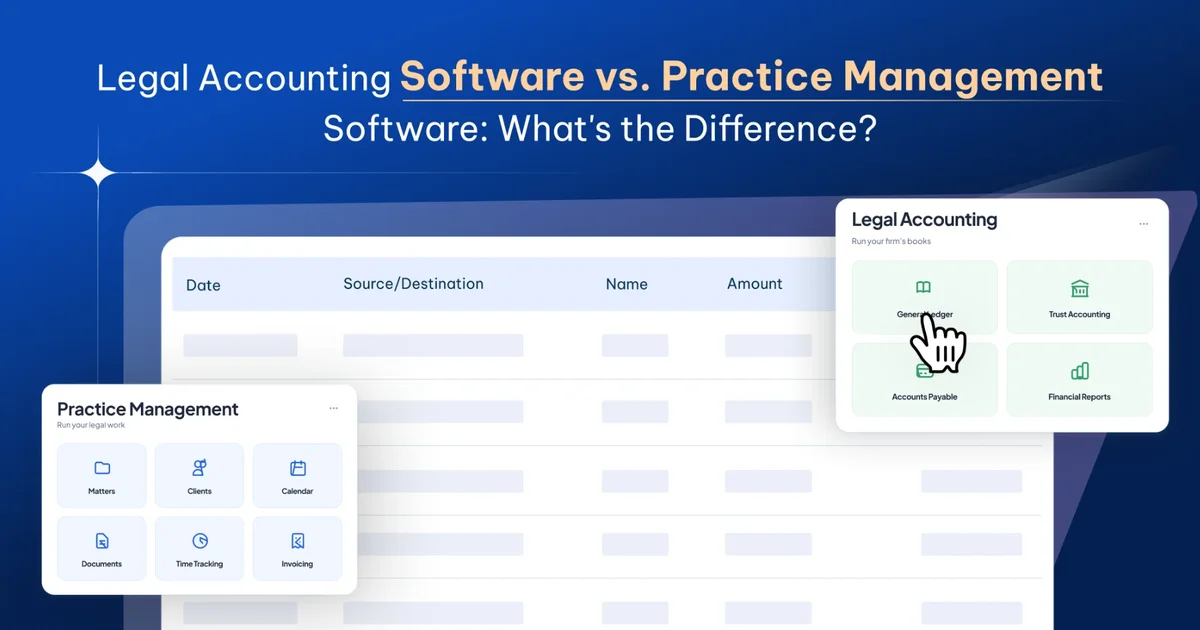
Legal accounting software runs the firm's books: the general ledger, trust accounting, accounts payable, payroll entries, and financial reports like the balance sheet and profit and loss. Law practice management software runs the legal work: matters, clients, calendars, documents, time tracking, and billing. The two overlap in billing and trust, which is why firms often confuse them.
This guide explains what each one does, where they overlap, why "accounting" in a practice management tool often means less than it sounds, and how to decide whether your firm needs one system or two.
What is law practice management software used for?
Law practice management software helps a firm run its day-to-day legal work. At minimum, it handles matter management, client management, and task management. Most platforms also include calendaring and court deadlines, document storage, client intake, time and expense tracking, and invoicing.
The people who use it every day are lawyers, paralegals, and assistants. Its job is to keep cases moving: who's working on what, what's due when, how much time went into a matter, and what's been billed.
What is legal accounting software used for?
Legal accounting software keeps the firm's financial records. It's built around a general ledger using double-entry accounting, where every transaction is recorded in at least two accounts so the books always balance.
On top of that, legal accounting software handles the parts of accounting that are specific to law firms: trust accounting with a ledger for every client, three-way trust reconciliation, tracking client costs the firm will bill back, and keeping client money separate from the firm's money. It also covers the standard work of any accounting system, such as paying vendors, recording payroll, tracking partner draws, closing the books each month, and producing financial reporting for law firms, including the balance sheet, profit and loss, and cash flow.
The people who use it are the controller, accounting manager, bookkeeper, and outside CPA. Its job is to answer: is the firm profitable, where is the money, and are the trust accounts in order.
Side-by-side comparison
| Feature | Practice management software | Legal accounting software |
|---|---|---|
| Main job | Run the legal work | Run the firm's books |
| Main users | Lawyers, paralegals, assistants | Controller, accountants, bookkeepers, CPA |
| Matters, clients, calendars | Yes | Usually not |
| Documents and client intake | Yes | No |
| Time and expense tracking | Yes | Sometimes |
| Invoicing | Yes | Sometimes |
| Trust ledgers by client | Often | Yes |
| Three-way trust reconciliation | Sometimes | Yes |
| General ledger (double-entry) | Rarely | Yes |
| Accounts payable and vendor bills | Rarely | Yes |
| Balance sheet and profit and loss | Rarely | Yes |
| Month-end close | No | Yes |
The overlap sits in the middle rows: time, billing, and trust. That's where most of the confusion comes from.
Does practice management software include accounting?
Some practice management software includes accounting, but it varies a lot from one product to another.
Many practice management tools offer an accounting module that covers billing, payments, and trust ledgers. That's useful, but it's not the same as full accounting. Some only offer basic checkbook-style bookkeeping, which lets you track operating accounts and reconcile balances but is more limited than full accounting. Others include full double-entry accounting, which can make separate accounting software unnecessary.
When a vendor says their practice management software "includes accounting," ask these questions:
- Is there a full general ledger, or just billing and trust ledgers?
- Can it produce a balance sheet and profit and loss on both a cash and accrual basis?
- Can it handle vendor bills, payroll entries, and partner draws?
- Can your accountant close the month in it?
If the answer to most of these is no, the "accounting" is really billing and trust tracking, and you'll still need a separate general ledger.
Can practice management software replace QuickBooks?
Only if it has a full general ledger. If your practice management software handles billing and trust but not the firm's books, you still need QuickBooks or another accounting system for the general ledger.
That's the most common setup at small firms: practice management software for the legal work, connected to QuickBooks for the books. It works, but it means buying and maintaining two separate systems, and someone has to keep the data between them in sync.
Do law firms need both accounting and practice management software?
Every law firm needs both functions. The real question is whether they live in one system or two. Most firms end up in one of three setups.
- Practice management software only. Billing, trust ledgers, and basic bookkeeping all happen in the practice management tool, with an outside accountant handling year-end. This can work for a small firm with simple finances, but it usually runs out of room once the firm needs accrual reports, partner accounting, or a proper month-end close.
- Practice management software plus separate accounting software. The practice management tool handles legal work and billing, and a general accounting system like QuickBooks holds the books. Data passes between them through an integration. This is common because each tool is familiar, but every month someone has to confirm the two systems agree. When they don't, the accounting team has to find out why before it can close the month.
- One platform for both. Practice management, billing, trust accounting, and the general ledger all sit in one system. A payment updates the invoice, the client's trust ledger, and the firm's books at the same time. There's nothing to sync, so the numbers can't drift apart.
Is it better to have accounting and practice management in one system?
For most firms past a handful of lawyers, yes. A single system removes the monthly reconciliation between tools, gives partners reports without someone stitching together exports, and means trust, billing, and the books always tell the same story.
This isn't a new problem. Years ago, firms with accounts-only systems often found they had perfectly balanced books but little idea which clients, lawyers, or practice areas were profitable. Firms with separate practice management and accounting tools hit a version of the same issue today: the legal data and the financial data live in different places, and connecting them takes manual work.
Two systems still make sense in some cases. If your outside accountant insists on QuickBooks, or your firm already has a general ledger it's happy with and only needs better case management, adding a practice management tool on top may be the simpler path. The trade-off is the ongoing sync.
For mid-size firms comparing options, see our guide to the best accounting software for mid-size law firms.
How to tell which setup your firm needs
Look at how your month-end close goes. If your accounting team spends the first days of every month matching your practice management system against your accounting system, two systems are costing you time.
Look at your reporting. If partners ask for profitability by matter, lawyer, or practice group and it takes days of spreadsheet work to answer, your legal data and financial data are too far apart.
Look at your trust accounts. If client ledgers live in one system and the trust bank account is reconciled in another, every three-way reconciliation means pulling from both. We cover that process in our guide to three-way reconciliation for law firm trust accounts.
And look at how your accounts are set up. If your practice management tool can't support a full chart of accounts with trust liability, client costs, and partner draws, it isn't a full accounting system. Our law firm chart of accounts guide shows what a complete one includes.
Where LawAccounting fits
LawAccounting is our product, so read this with that in mind.
LawAccounting is all-in-one legal software that combines practice management and accounting on Salesforce. It puts case management, accounting, billing, payments, document management, trust accounting, reporting, and automation in one platform, so there's no separate system to sync at month end.
It includes IOLTA trust accounting with three-way reconciliation, LEDES e-billing, and financial reporting down to the matter level. For firms already using Litify, it works inside the same Salesforce environment and reads Litify records directly. Pricing for the Complete Platform starts at $100 per user per month.
FAQ
What is the difference between legal accounting software and practice management software?
Practice management software runs the legal work, such as matters, calendars, documents, time tracking, and billing. Legal accounting software runs the firm's books, including the general ledger, trust accounting, and financial reports.
Does practice management software include accounting?
Sometimes. Many tools include billing and trust ledgers, and some offer basic bookkeeping. Fewer include a full double-entry general ledger. Check before you assume it replaces accounting software.
Do law firms need both accounting and practice management software?
Every firm needs both functions. They can live in two separate systems connected by an integration, or in one platform that handles both.
Can practice management software replace QuickBooks?
Only if it includes a full general ledger that can produce a balance sheet and profit and loss and handle vendor bills, payroll entries, and partner draws.
What is legal accounting software used for?
Keeping the firm's financial records: the general ledger, trust accounting and reconciliation, client costs, accounts payable, partner draws, month-end close, and financial reports.
What is law practice management software used for?
Running the firm's legal work: matter and client management, calendars and deadlines, documents, client intake, time and expense tracking, and invoicing.
Is it better to have accounting and practice management in one system?
For most firms with more than a few lawyers, yes, because it removes the monthly sync between systems and keeps trust, billing, and the books in agreement. Two systems can still work if your accountant requires a specific accounting tool.
See LawAccounting in action
Bring your own month-end and we'll walk through it on one platform.
Book a demo