This short guide explains how to quickly start a new client intake in LawAccounting/CaseQube and send the questionnaire by email or URL, streamlining onboarding, reducing navigation errors, and ensuring secure responses populate the intake screen for efficient processing.
1. Step 1: Initiate the Questionnaire Screen
- Log In
- Access LawAccounting/CaseQube using your secured credentials.
- Navigate to Application
- Example (Personal Injury)
- Initiate the Questionnaire Screen
- Click New Intake located at bottom left of screen
 />
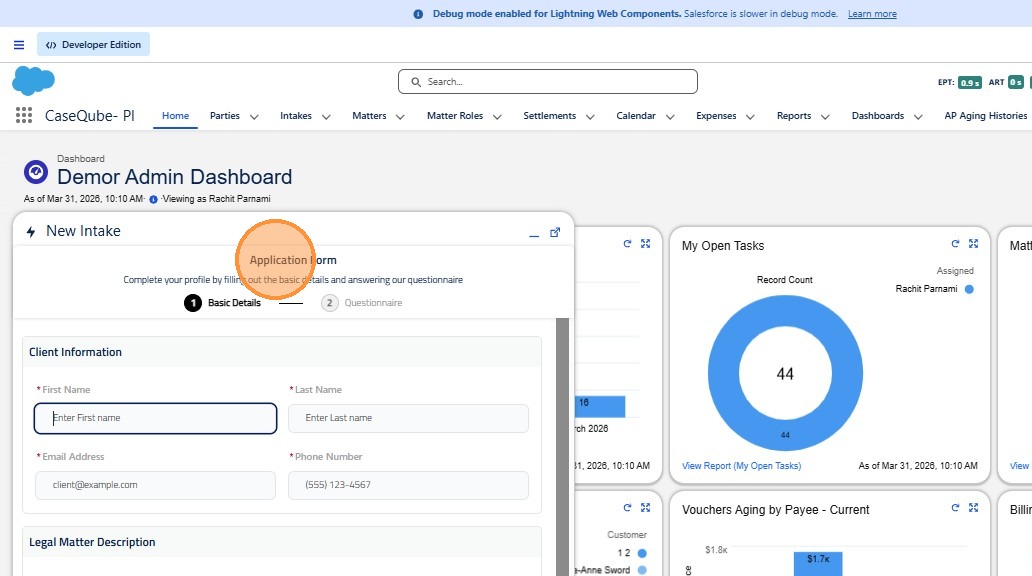
2. Click "Application Form"
 />
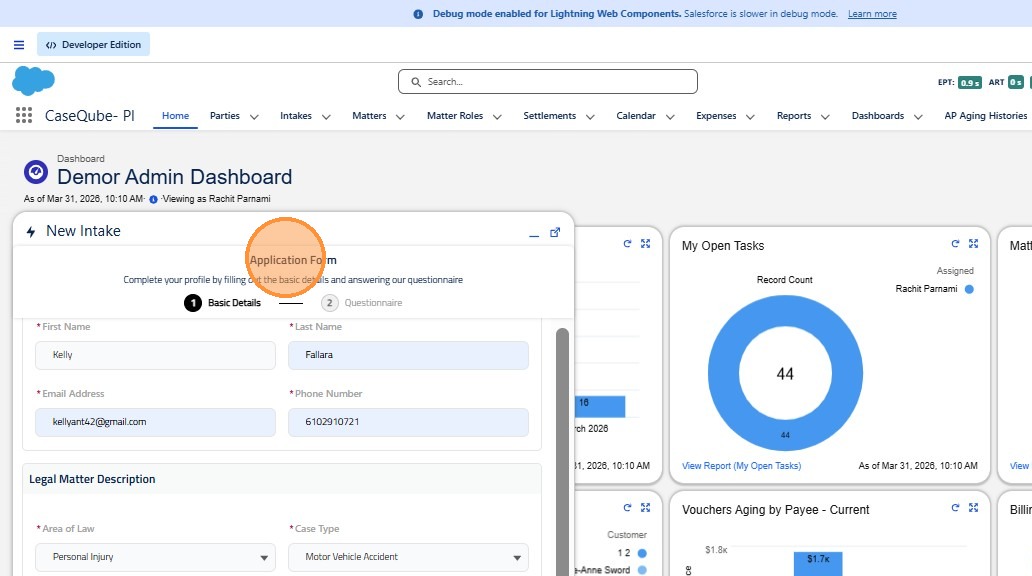
3. Step 2: Fill in Application Form & Send
- Fill in Application Form
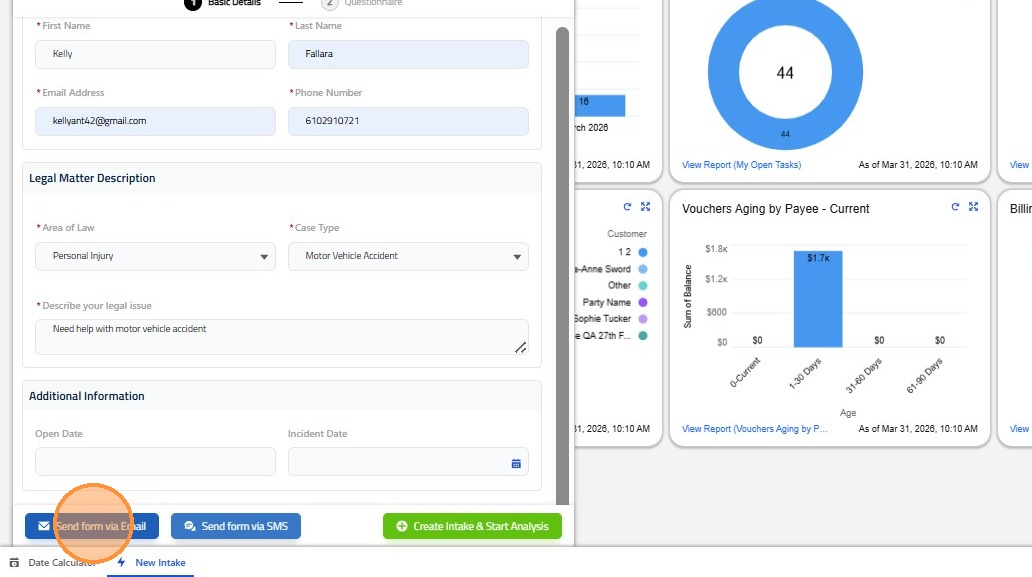
- Click Send via Email
- Screen will automatically open to Intake
Option to;
- Send questionnaire at any time with the URL link on the intake screen. This will provide the clients "view" of the questionnaire.
- They can fill in the Incident Overview and Upload Any Necessary Documents in their own time.
 />
4. Click "Send form via Email"
 />
5.
 />